The plan may stay the same. You don’t.
Plan your days with
cycle syncing built in.
From what you need to do today to what’s ahead, keep your schedule · to-dos · habits and cycle in one place.
Connect Google Calendar and Google Tasks whenever you need them.
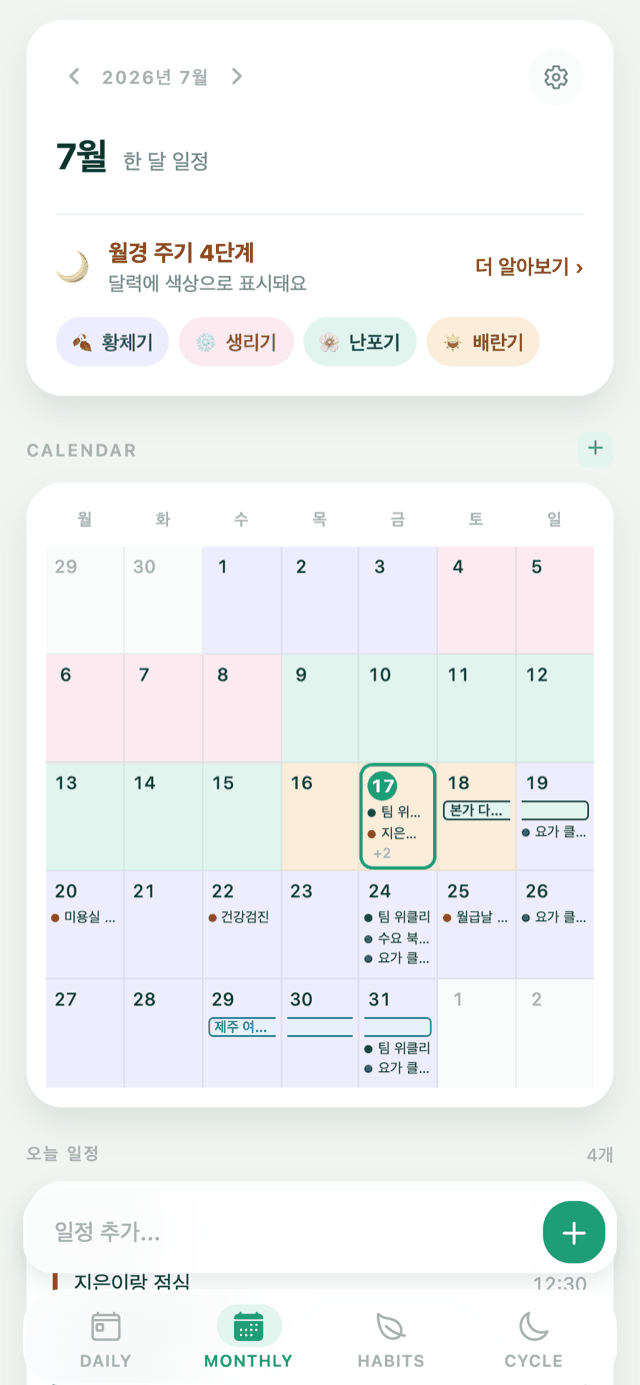
- Dates and your body’s rhythm, togetherBefore a trip or an important event, check your expected cycle ahead of time.
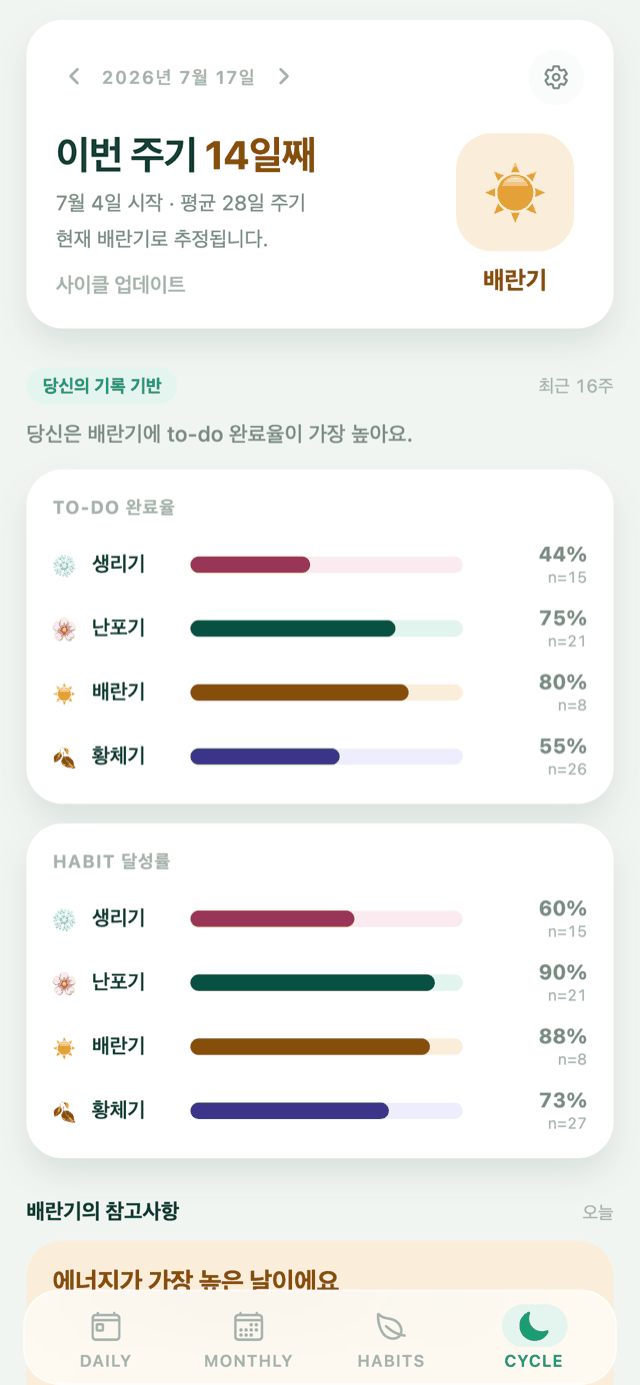
- Find patterns in your own recordsSee how your to-do completion rate changed across your cycle, and when your habits tended to stay on track more easily.
- Events pass, tasks finish, habits stayKiyo keeps events, tasks and habits together, while giving each its own way to work.
Kiyo, wherever you are
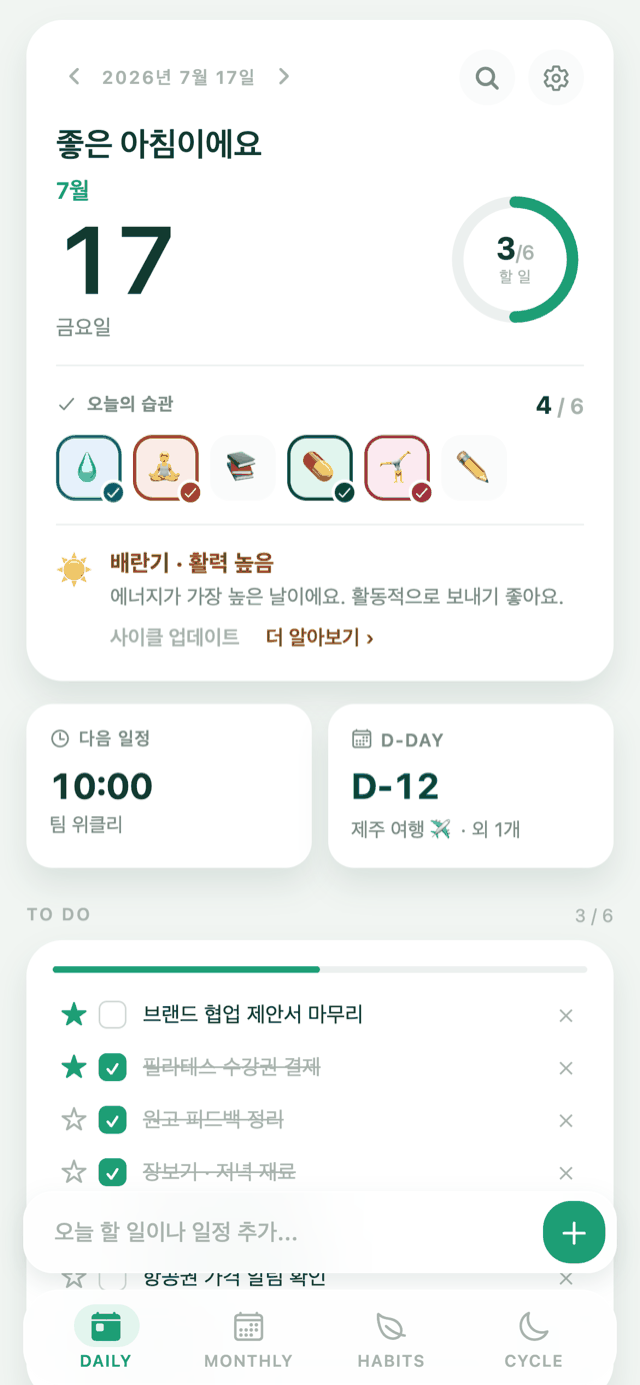
Today’s plans and
how you feel, at a glance
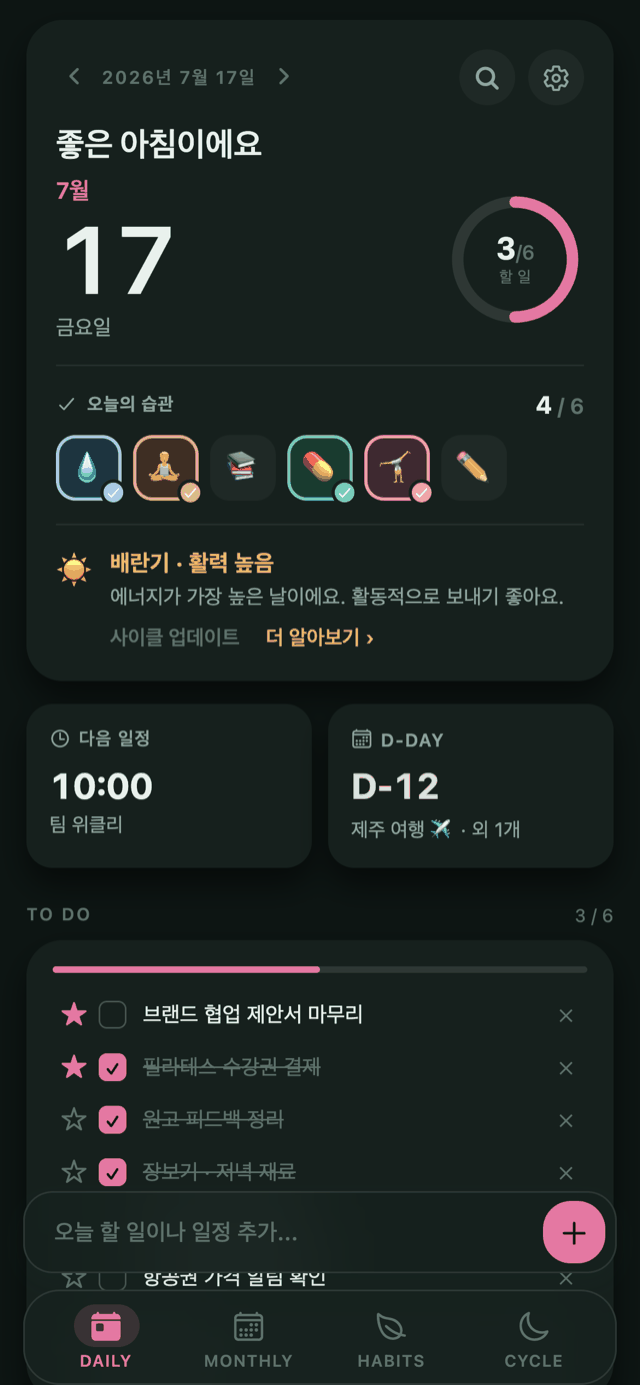
Tasks in a list, events on a timeline, habits as a record. What you need today, on one screen.
See your records alongside your cycle
Look back on to-do completion and habit patterns across your cycle, and use them as a reference when planning what comes next. Private Mode can hide phase names.
Plan ahead with
your body’s rhythm in view
See your upcoming schedule and to-dos alongside your expected cycle. Plan what’s ahead right from the calendar.
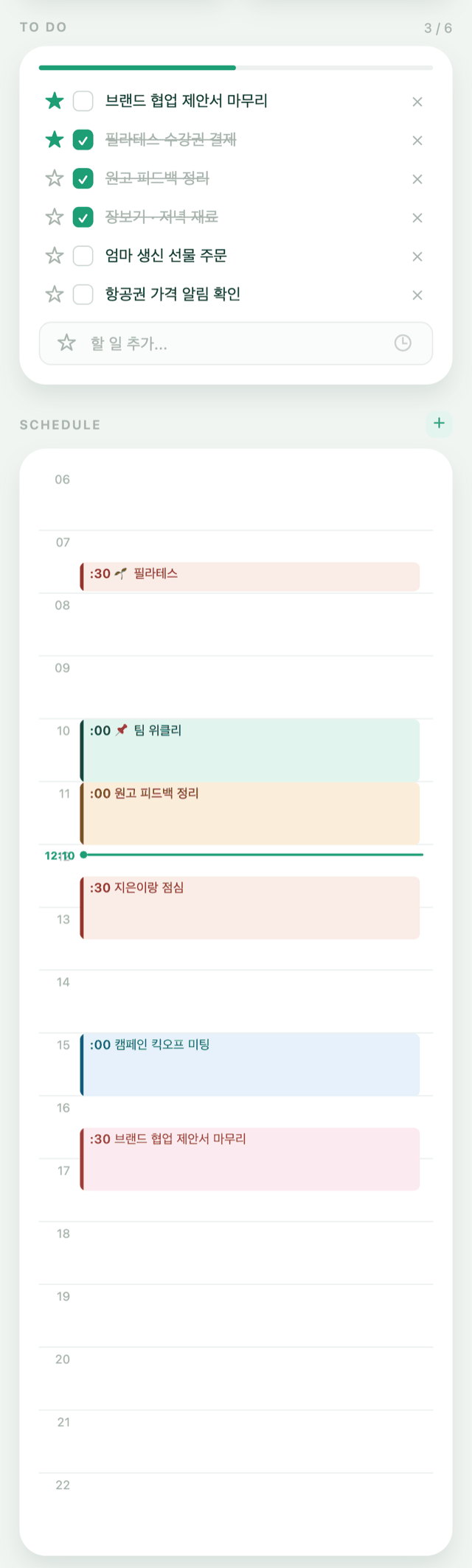
Events and to-dos
don’t share one list
Events by time, to-dos by action. Keeping what takes up time apart from what doesn’t makes it clearer where to start today.
Small actions add up
to the change you want
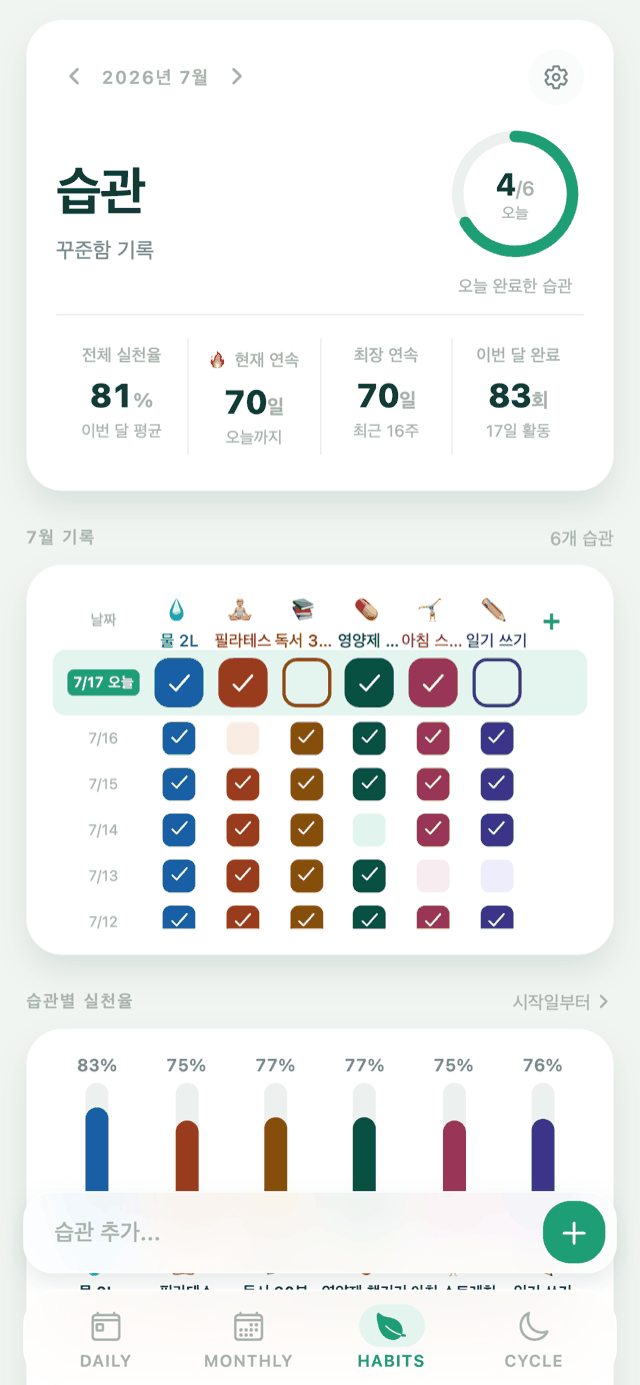
Both the days you kept going and the days you came back are recorded. Streaks, consistency rates, and day-of-week patterns show how steadily you’ve kept it up.
Make it yours
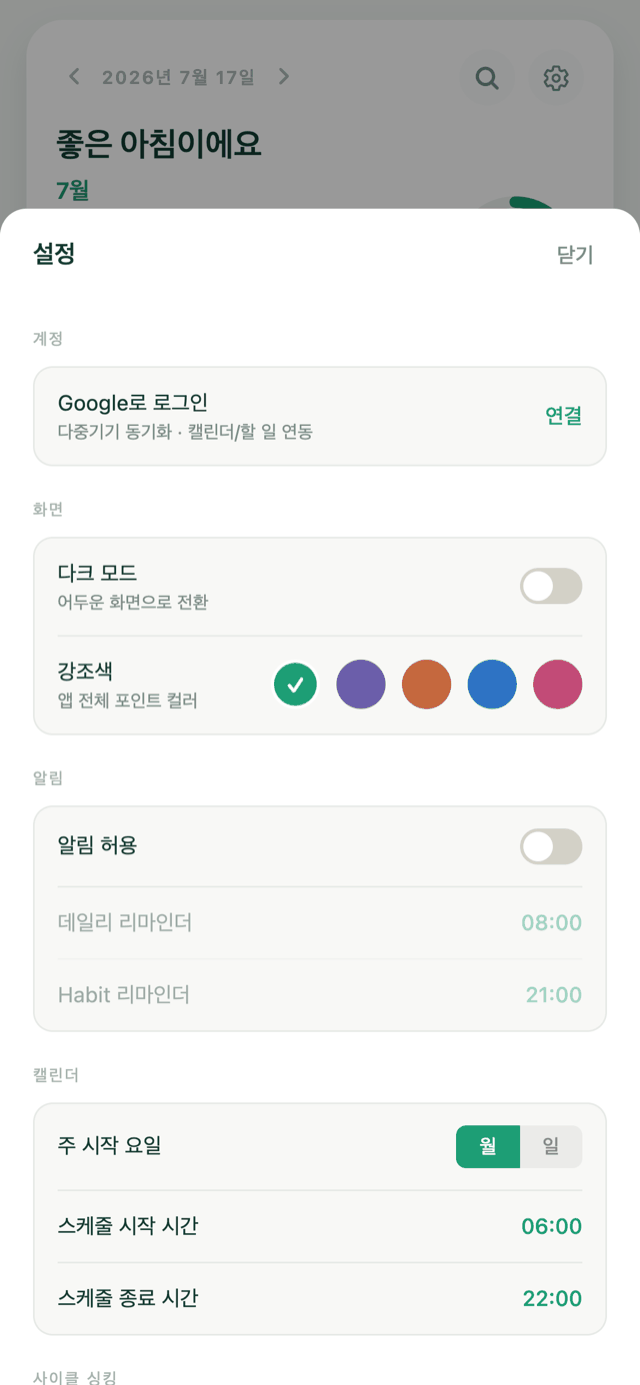
Seven themes, from Ink to Midnight.
An account only when you need one
Start without one, and sign in when you want your records on more than one device.
Frequently asked questions
Is anything limited if I don’t make an account?
No. Every feature works the same. Your records are just kept in this browser only.
If I make an account later, do my existing records come with me?
Yes. When you sign in, you’re asked whether to bring the records in this browser into your account.
Do I have to use the cycle feature?
No. It’s off by default, and the Cycle tab only appears once you turn it on yourself. You can turn it back off any time.
Does it work with Google Calendar?
You can connect Google Calendar and Google Tasks. Connecting is optional and you can disconnect at any time.
Are my period records sent to Google?
No. Even with Google Calendar or Tasks connected, period records are never sent to Google.
Can I use it on Android?
The app is on the way. Until then you can add the web app to your home screen and use it like an app.
Can I see my cycle and my schedule in one calendar?
Yes. Your cycle appears as a soft tint in the calendar, with events and tasks layered on top.
How do I see my next expected period in the calendar?
Page forward and the expected cycle appears in a lighter shade. The Cycle screen shows the next expected date directly.
Can I plan around my cycle?
You can see your upcoming cycle while you choose the dates yourself. You can add an event straight from the calendar.
Can I stop keeping a separate period app and calendar?
Yes. Events, tasks, habits and your cycle live in one place, with optional Google Calendar and Tasks syncing.
Plans + body rhythm, together
A planner that gives events, tasks and habits each the structure they need. Add your cycle to the calendar only when you want it.
English is on the way.
The Kiyo app is available in Korean for now. An English version is coming — this page is a preview of what it does.
Continue in Korean