The plan may stay the same. You don’t.
Plan your days with
cycle syncing built in.
From what you need to do today to what’s ahead, keep your events · to-dos · habits and cycle in one place.
Connect Google Calendar and Google Tasks whenever you need them.
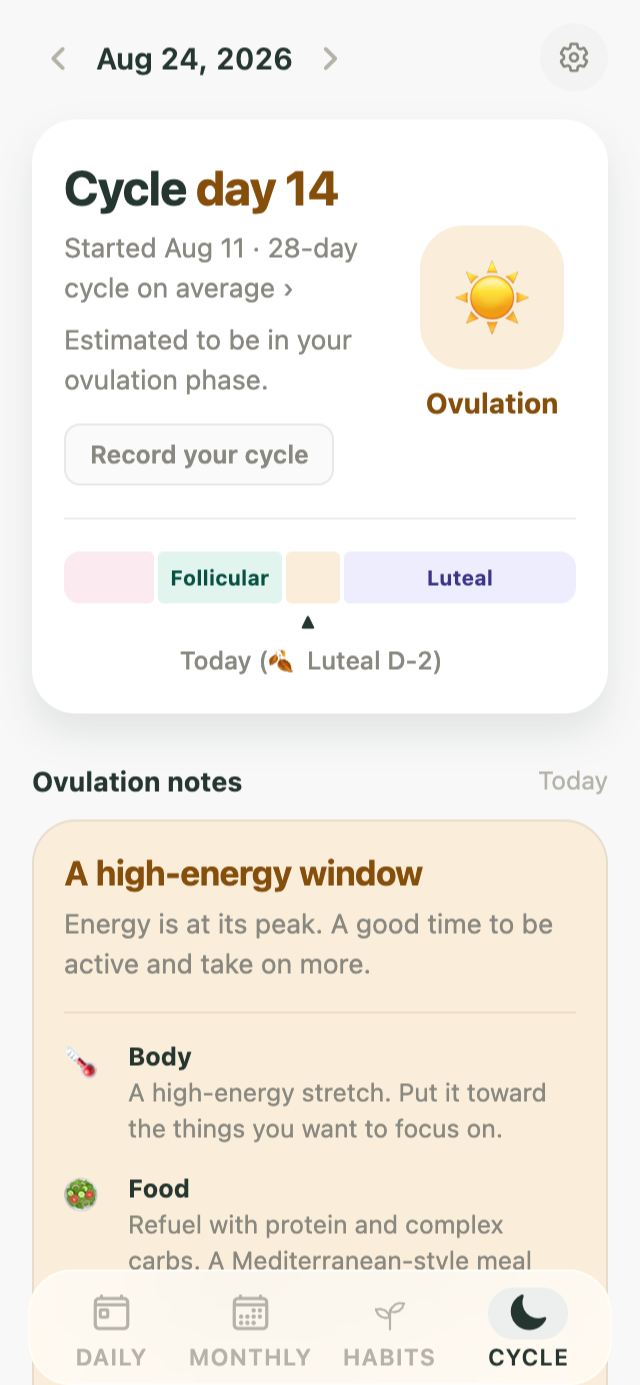
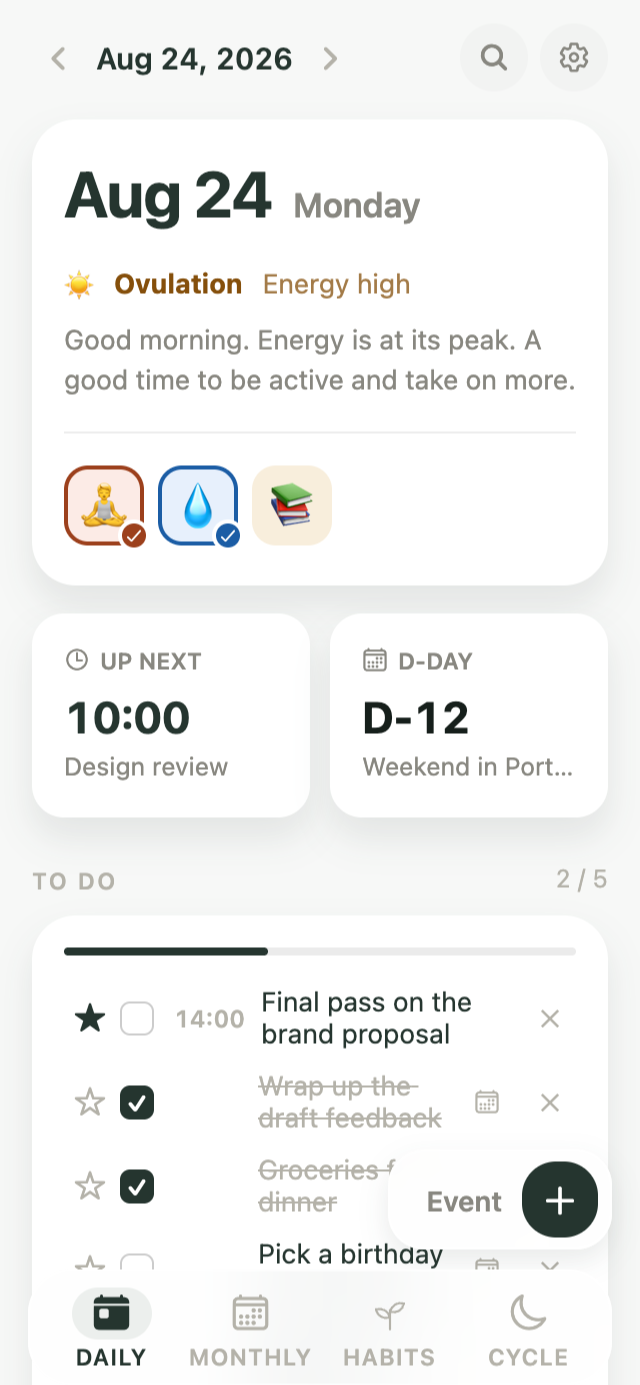
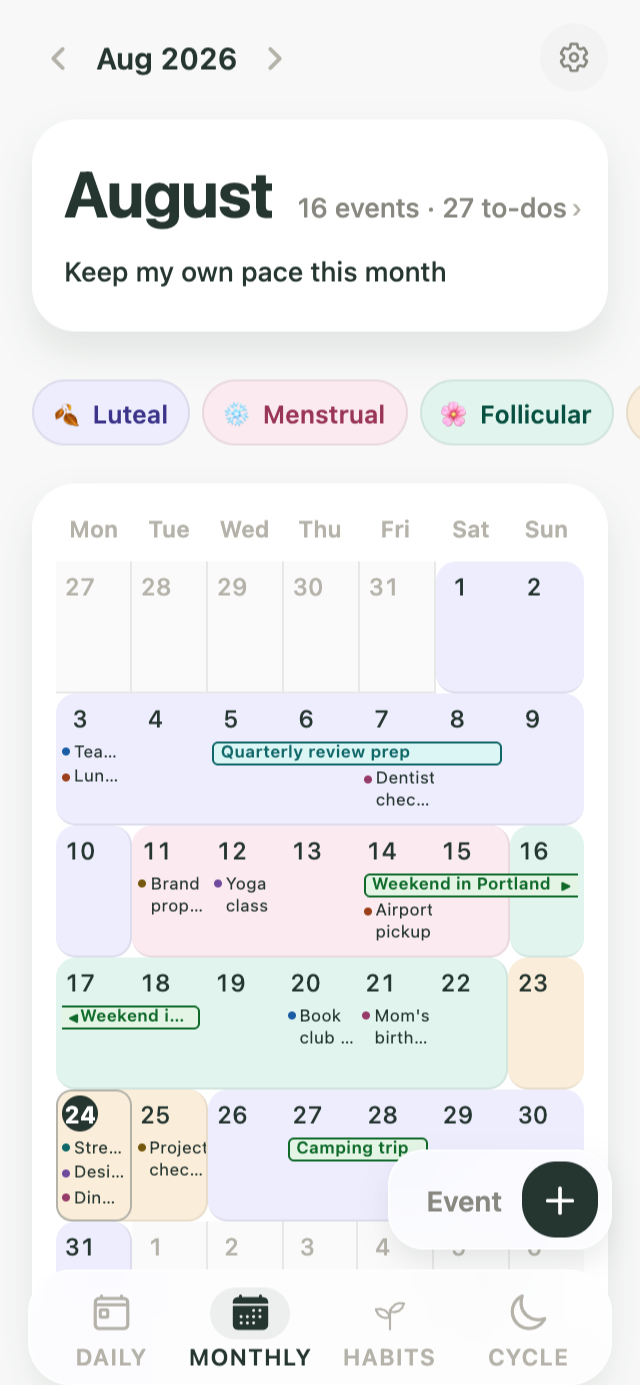
- Your calendar and your body’s rhythm, togetherBefore a trip or an important event, check your expected cycle for those dates.
- Find patterns in your own recordsSee how your to-do completion rate changed across your cycle, and when your habits tended to be easier to keep up.
- Events are about when, to-dos about what, habits about changeKiyo keeps events, to-dos and habits in one place, with a different structure for each.
Kiyo, wherever you are
Today’s plans and
how you feel, at a glance
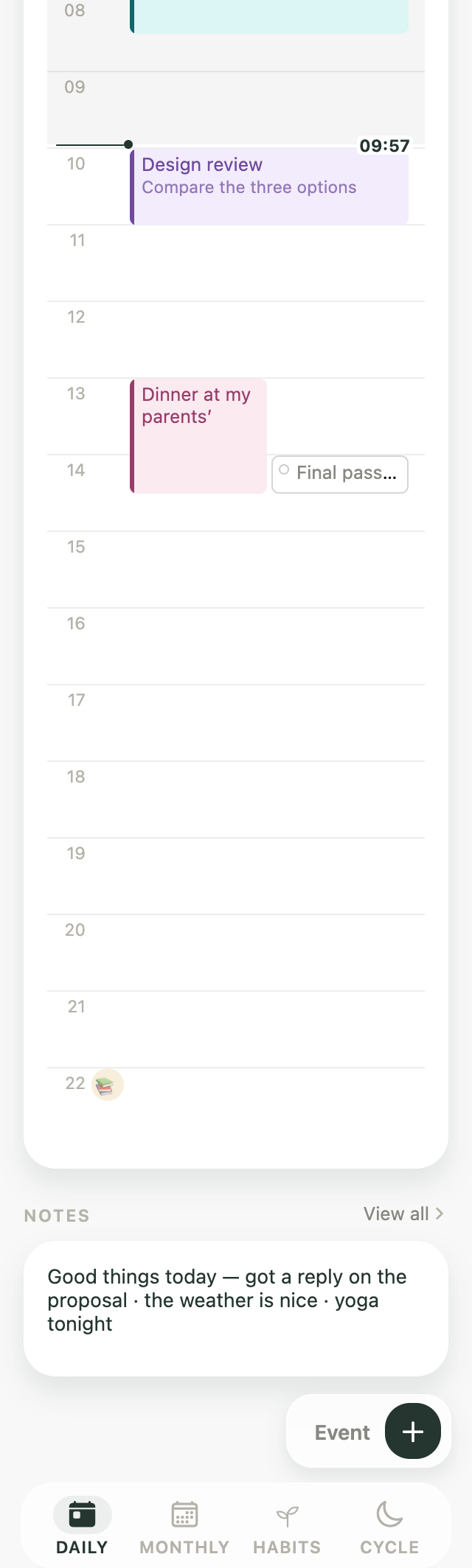
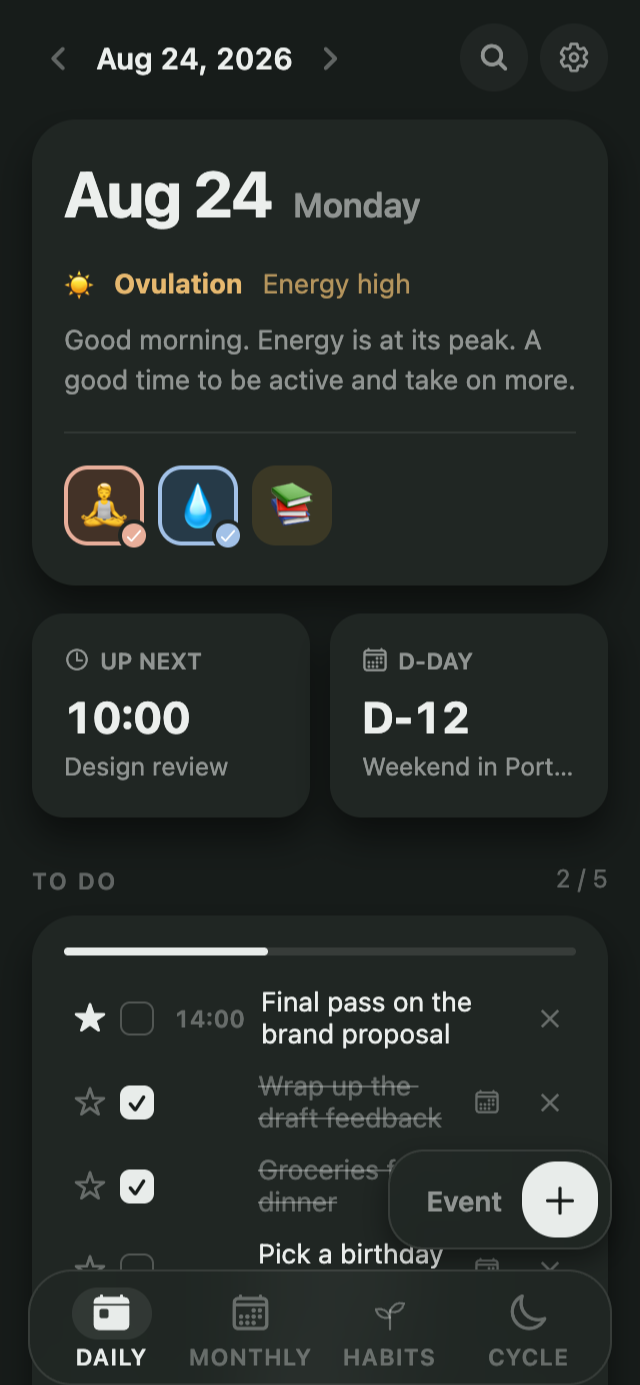
To-dos in a list, events on a timeline, habits in their own log. Everything you need today, on one screen.
See your records alongside your cycle
Review your to-do completion rate and how consistently you kept up your habits across cycle phases, then use your own patterns as a reference when planning what comes next. Discreet mode can hide phase names.
Plan ahead with
your body’s rhythm in view
See your upcoming schedule and to-dos alongside your expected cycle. Plan what’s ahead right from the calendar.
Events and to-dos
don’t get mixed into one list
Events are organized by time, while to-dos stay in an action list. Keeping them separate makes it clear what to start with today.
Small actions add up
to the change you want
Both the days you kept going and the days you came back are recorded. Streaks, completion rates, and day-of-week patterns show how steadily you’ve kept it up.
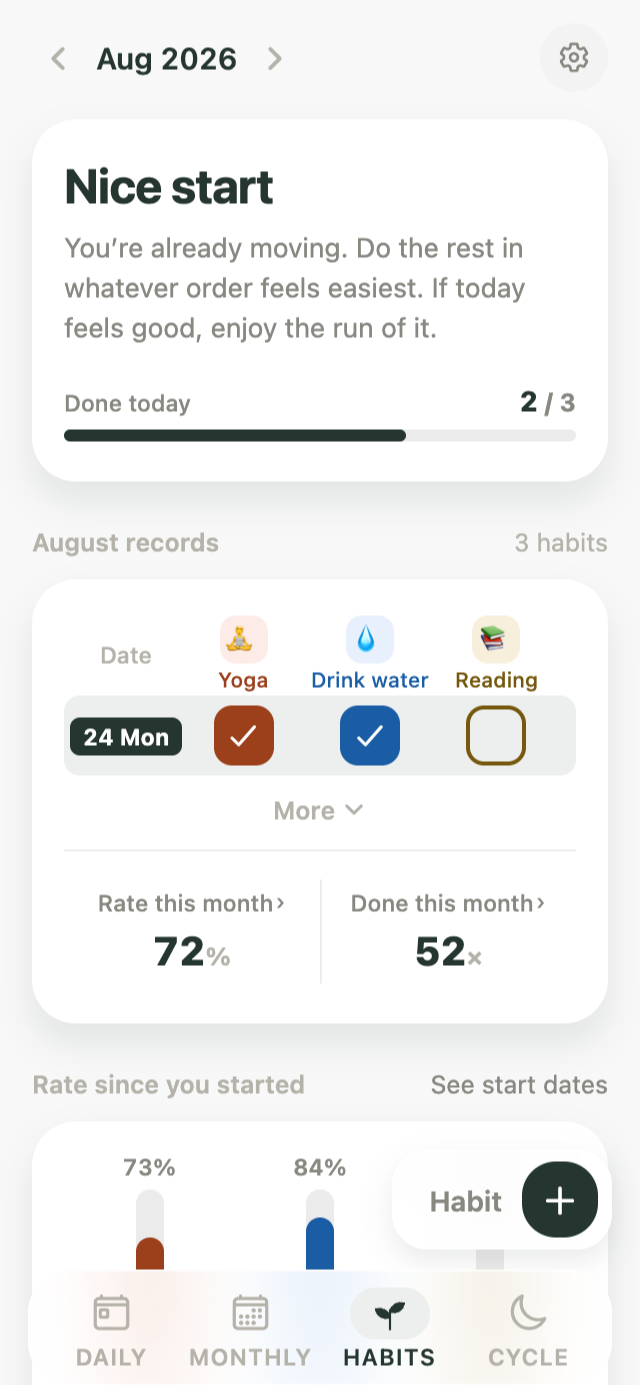
Make it yours
Seven themes, from Ink to Midnight.
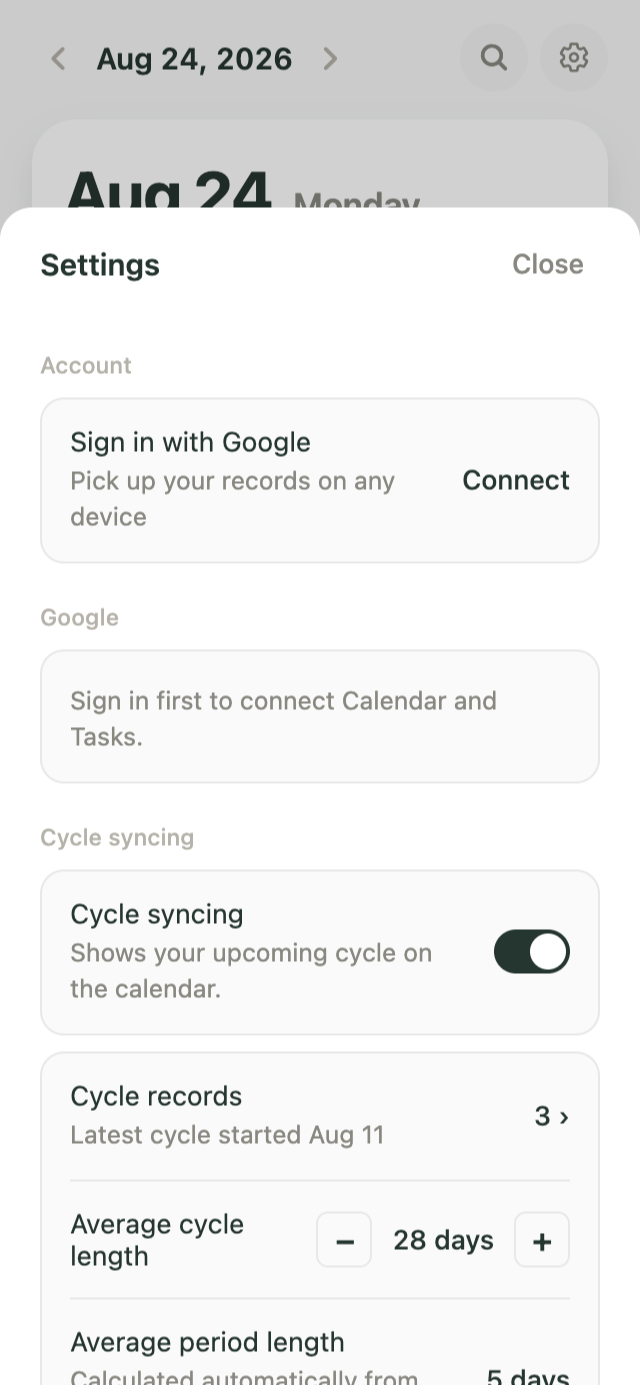
An account only when you need one
Start without an account, then sign in when you want to use the same records across devices.
Frequently asked questions
Are any features limited without an account?
No. All features are available. Without an account, your records are stored only in this browser.
If I make an account later, will my existing records carry over?
Yes. When you sign in, you’ll be asked whether you want to import the records stored in this browser into your account.
Do I have to use the cycle feature?
No. It’s off by default. The Cycle tab appears only after you turn the feature on in Settings, and you can turn it off again anytime.
Does it work with Google Calendar?
You can connect Google Calendar and Google Tasks. Connecting is optional and you can disconnect at any time.
Are my period records sent to Google?
No. Even with Google Calendar or Google Tasks connected, period records are never sent to Google.
Can I use it on Android?
The Android app is coming soon. Until then, you can add the web app to your home screen and use it like an app.
Can I see my cycle and my schedule in one calendar?
Yes. Your cycle appears as a soft tint in the calendar, with events and to-dos layered on top.
How do I see my next expected period in the calendar?
Go to a future month and your expected cycle appears in a lighter shade. The Cycle screen shows your next expected period date.
Can I view my cycle while planning my schedule?
Yes. You can view your expected cycle while choosing dates, and add events directly from the calendar.
Can I stop keeping a separate period app and calendar?
Yes. Events, to-dos, habits and your cycle are all in one place, with optional Google Calendar and Google Tasks syncing.
Plans and your body’s rhythm, in one place
A planner that keeps events, to-dos and habits in one place, with a structure that fits each one. Your cycle appears in the calendar only when you choose to show it.
Get started
Connect Google Calendar and Google Tasks whenever you need them.
On the next screen, please accept the Terms of Service. You can read the Privacy Policy there too.