Monthly Review Questions: A 15-Minute Look Back That Shapes Next Month
The most useful monthly review questions are ones your records can answer: what kept getting postponed, which days were heavier than they looked, which habits held up, what you said yes to that you'd decline next time, and what you want to keep. Always finish with the one that matters most: what's the one change for next month?

A monthly review compares what you planned with what you recorded as done, then turns one observation into one change for the month ahead. With a question in hand, it takes about 15 minutes. You don't need a journal: you can find most of the answers in your calendar, to-dos, habit history and a few short notes.
Which questions should you ask in a monthly review?
Each month, choose one or two questions that your records can answer. Only the last question in the table is required. Each question points to a different record, and each record has limits:
| Question | Where to look | What it can't tell you |
|---|---|---|
| What kept getting postponed? | Last month's unchecked to-dos, and the notes on those days | Why, unless you wrote it down |
| Which days were heavier than they looked? | Busy dates on the calendar, plus your notes | How you felt, unless you noted it |
| Which habits held up, and on which weekdays? | Habit history and the weekday pattern | Why you missed the other days |
| What did I say yes to that I'd decline next time? | Last month's events | Whether it was worth it. Only you know that. |
| What do I want to keep doing? | Finished to-dos, habit check-ins and notes | Whether it still fits next month |
| What's the one change for next month? | Your answers above | Whether it will work. Treat it as an experiment. |
Read each record for what it is. A past event shows something was scheduled, not that it happened, and an unchecked box doesn't say whether you postponed, forgot or dropped it. The reason usually lives in a short note, which is why it pays to keep a daily record without journaling.
How do you do a monthly review in 15 minutes?
Split it into four timed steps: pick a question, scan last month, review habit history and notes, and write one change.
- 2 minutes: pick your question. One or two from the table, not all six.
- 5 minutes: scan last month. Look for repeats in the calendar and to-dos: the same task unchecked twice, evenings that kept running late, a week with no gaps.
- 5 minutes: review habit history and notes. Check your completion rate by weekday, and read what you wrote on the days that stand out.
- 3 minutes: write one change for next month. Put it where you'll see it every time you plan, such as the top of next month's page.
Compare more than one week before you change anything. One bad evening is noise; the same thing happening three times is worth acting on.
Worked example: when do household jobs fit?
Here's one review in Kiyo, a personal planner for events, to-dos and habits on the web and iPhone. It's the start of October, and the question is: are weekday evenings a good time for household jobs?
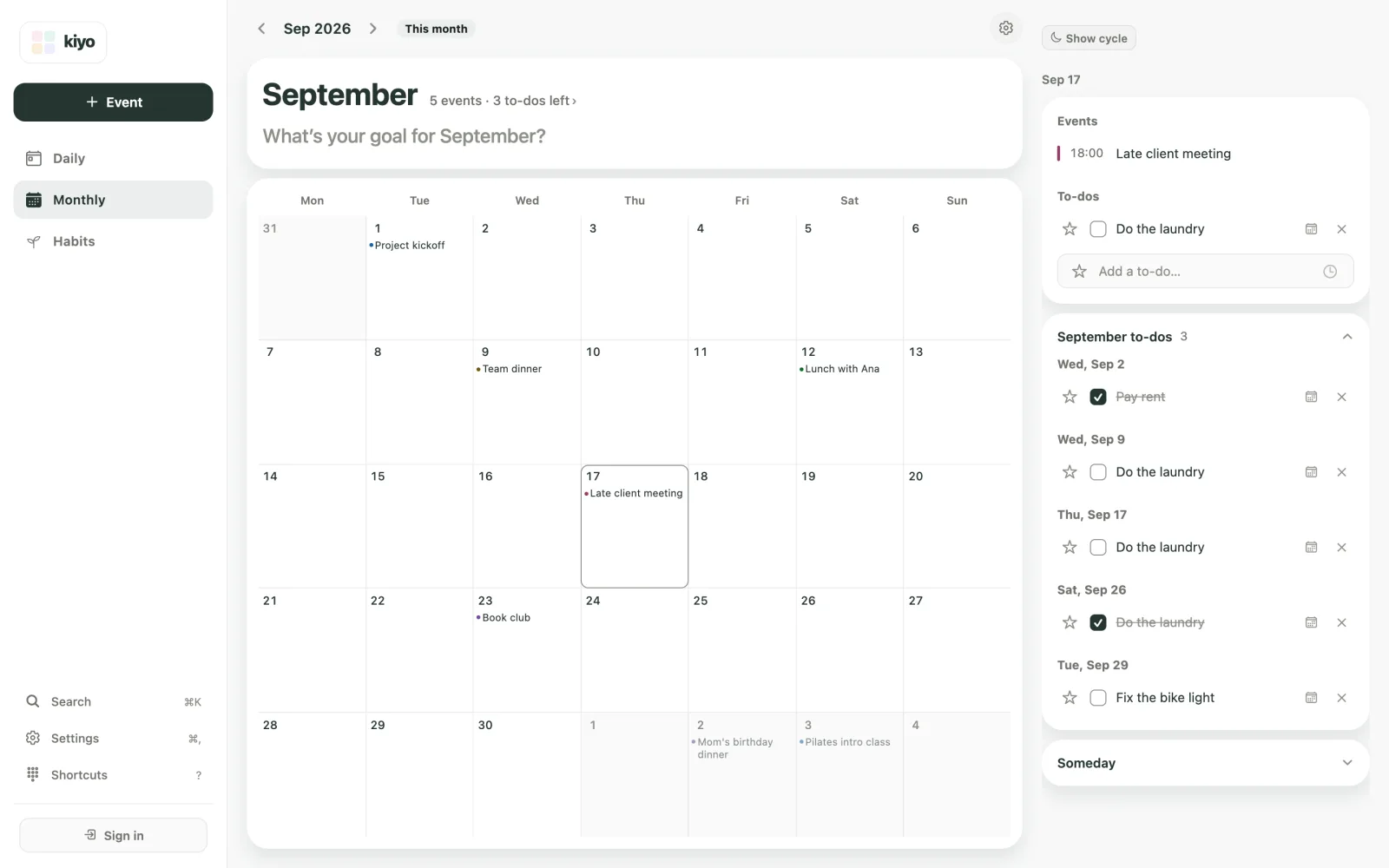
Open Monthly and go back to September. The counts next to the month name read "5 events · 3 to-dos left", and three of those events are evening plans: a team dinner on the 9th, a late client meeting on the 17th and book club on the 23rd. Tap the 17th to see that evening: the 18:00 meeting and an unchecked "Do the laundry".
On the web, the September to-dos list under that day's card shows every dated to-do from the month, grouped by date. "Do the laundry" appears three times. The entries for Wednesday the 9th and Thursday the 17th—both evenings with late plans—are unchecked. The one on Saturday the 26th is checked.
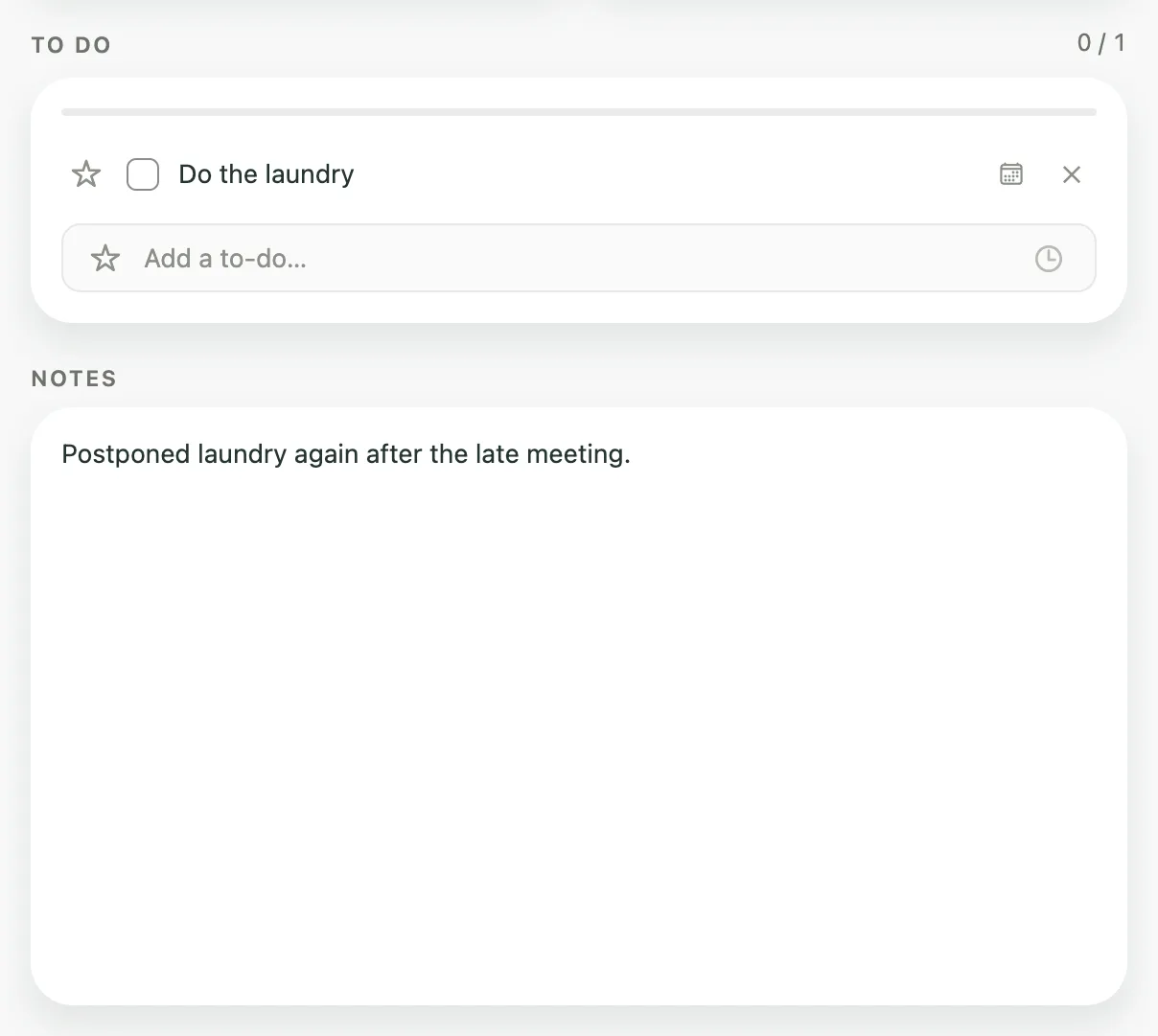
The notes explain why. Open Thursday the 17th in Daily. The note reads: "Postponed laundry again after the late meeting." On Saturday the 26th, you wrote: "Did the laundry before lunch. Much easier on a Saturday."
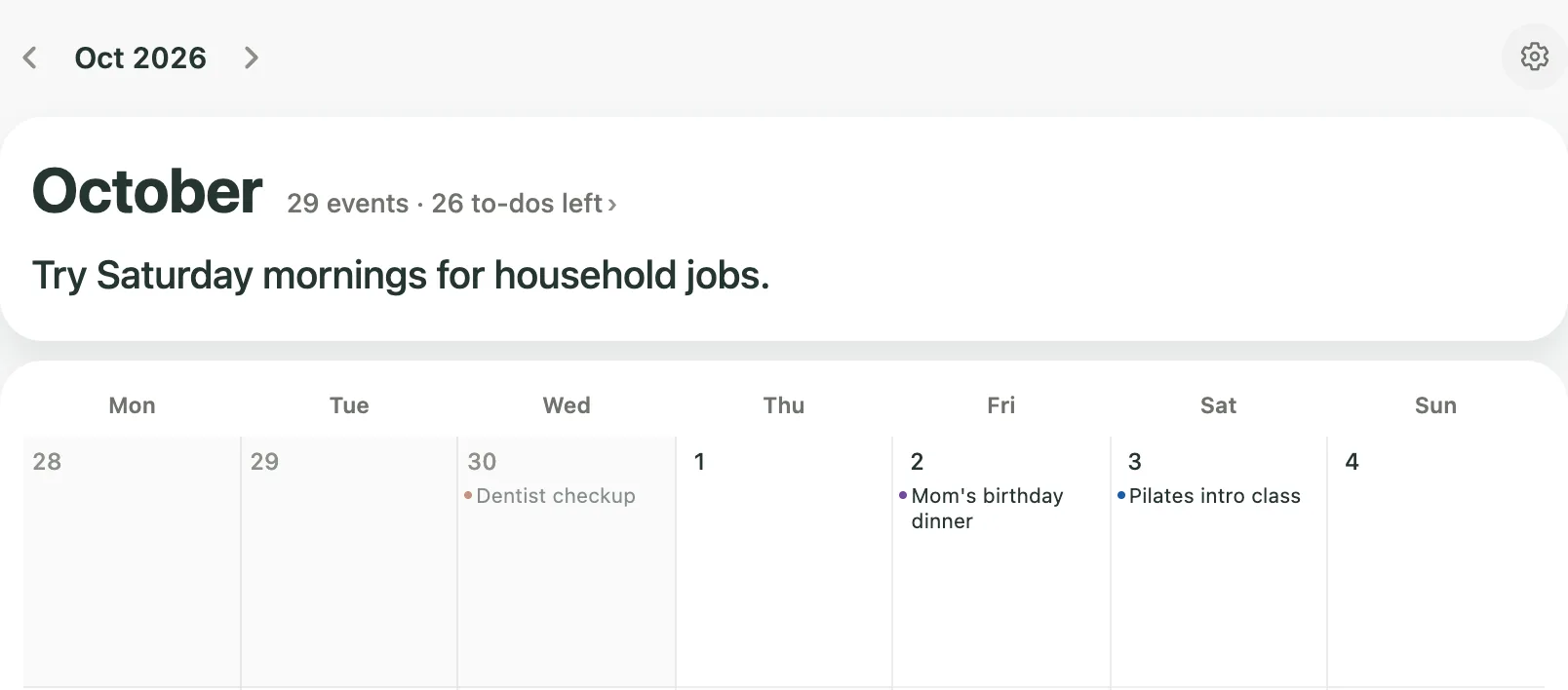
Two missed evenings and one easy Saturday: three records pointing the same way. On evenings after a late commitment, household jobs slipped; on a free Saturday morning, they didn't. That's enough for an experiment, not a rule. Go forward to October in Monthly and type the change into the goal line under the month name: "Try Saturday mornings for household jobs."
At the end of October, another 15-minute review will tell you whether it worked.
How do you turn an observation into next month's plan?
Write one change that's specific enough to act on: what you'll do, and when or in what situation. "Be better about chores" is a wish. "Try Saturday mornings for household jobs" is a plan you can test in a month.

Psychologists use the term implementation intention for a plan that spells out when, where or in what situation you'll act. In a 2006 meta-analysis of 94 independent tests, Peter Gollwitzer and Paschal Sheeran found that such plans had a medium-to-large effect on reaching goals (d = 0.65).
Changes that fit on one line:
- Move one recurring errand to a different day, as in the laundry example.
- Change a habit's weekdays to the days when you actually kept up the habit. Before you do, look beyond the streak in your habit records.
- Leave a gap around a week that already has several big events.
- Drop a stale task. If something has sat unchecked for months, delete it, or park it on an undated someday list until you have a specific day for it.
Keeping something that worked is also a decision. Not every review needs a fix, and a month with nothing to change is worth noticing too.
How does Kiyo help you look back on a month?
Kiyo doesn't generate a monthly report. You look back through your own records in the same views you use to plan. As of October 2026, these are the places to look:
- Monthly, one month back. Use the arrows at the top to go to last month. The counts next to the month name show how many events the month had and how many dated to-dos are still unchecked. Tap that line for a read-only list of everything for that month, in date order, with finished to-dos struck through. Tap a day to see its events and to-dos.
- The month's to-dos list, on the web. Below the selected day, a list named for the month, such as October to-dos, shows all of that month's dated to-dos, done or not, grouped by date. The number beside the list's name shows how many to-dos are still unchecked. As of October 2026, the iPhone app doesn't show this list.
- Daily notes. Go to any day in Daily to read what you wrote under NOTES.
- Habits, one month back. Go back a month in Habits, Kiyo's habit tracker: the September records card shows This month's rate and Done this month for September, and Completion rate by weekday covers the last 16 weeks.
- A new month in Habits. Each month starts with an empty habit list: you pick the new month's habits or use Carry over September habits, and your past records stay. It's a natural moment to decide which habits continue.
- The goal line. In Monthly, go to the month you're planning. Under the month name, an empty goal line asks, for example, "What's your goal for November?" Each month has its own goal line.
One thing to know before you count unchecked to-dos: Move to today in Daily moves the unfinished to-dos from your most recent day with to-dos onto today's list, and they no longer appear on their original day. If you moved something forward several times, your notes are the better record of how often it slipped.
Common questions
What questions should I ask in a monthly review?
Pick one or two that your records can answer: what kept getting postponed, which days were heavier than they looked, which habits held up and on which weekdays, what you'd decline next time, and what you want to keep doing. Always finish with the one that matters most: what's the one change for next month?
How long should a monthly review take?
About 15 minutes if you start with one question: 2 minutes to pick it, 5 to scan last month, 5 for habits and notes, and 3 to write one change. Longer reviews tend to turn into a list of everything that went wrong.
What's the difference between a weekly and a monthly review?
A weekly review adjusts next week's plan. A monthly review looks for patterns that repeat across weeks, such as the same task slipping on the same kind of day, and changes how you plan the next month.
What if I don't have any records yet?
Start now: check off to-dos as you finish them and leave a one-line note when a day doesn't go to plan. Next month, you'll have something to review. Kiyo works on the web without an account, but if you plan to sign in, do it first: signing in on the web deletes records made as a guest in that browser, and they aren't added to your account.
Does Kiyo create a monthly report?
No. Kiyo doesn't generate a monthly report. You read your own records in Monthly, Daily and Habits, then write the change in the next month's goal line in Monthly.