CYCLE SYNCING PLANNER
A cycle syncing planner for your actual calendar
See your cycle, compare it with the plans you already have, and decide for yourself.
Use phase-by-phase context to decide how you want to plan the days ahead.
Just want your next period date? → Use the period calculator
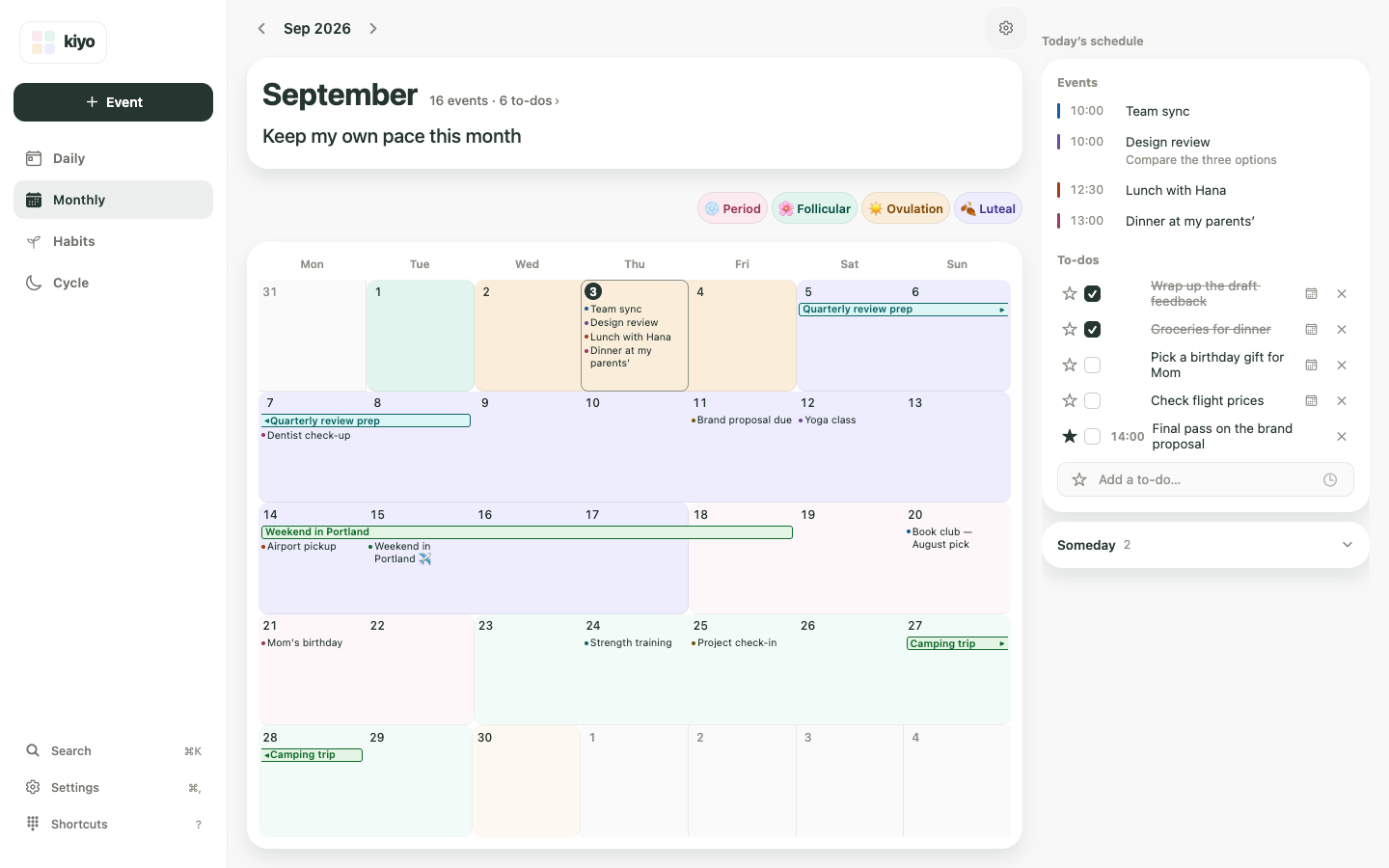
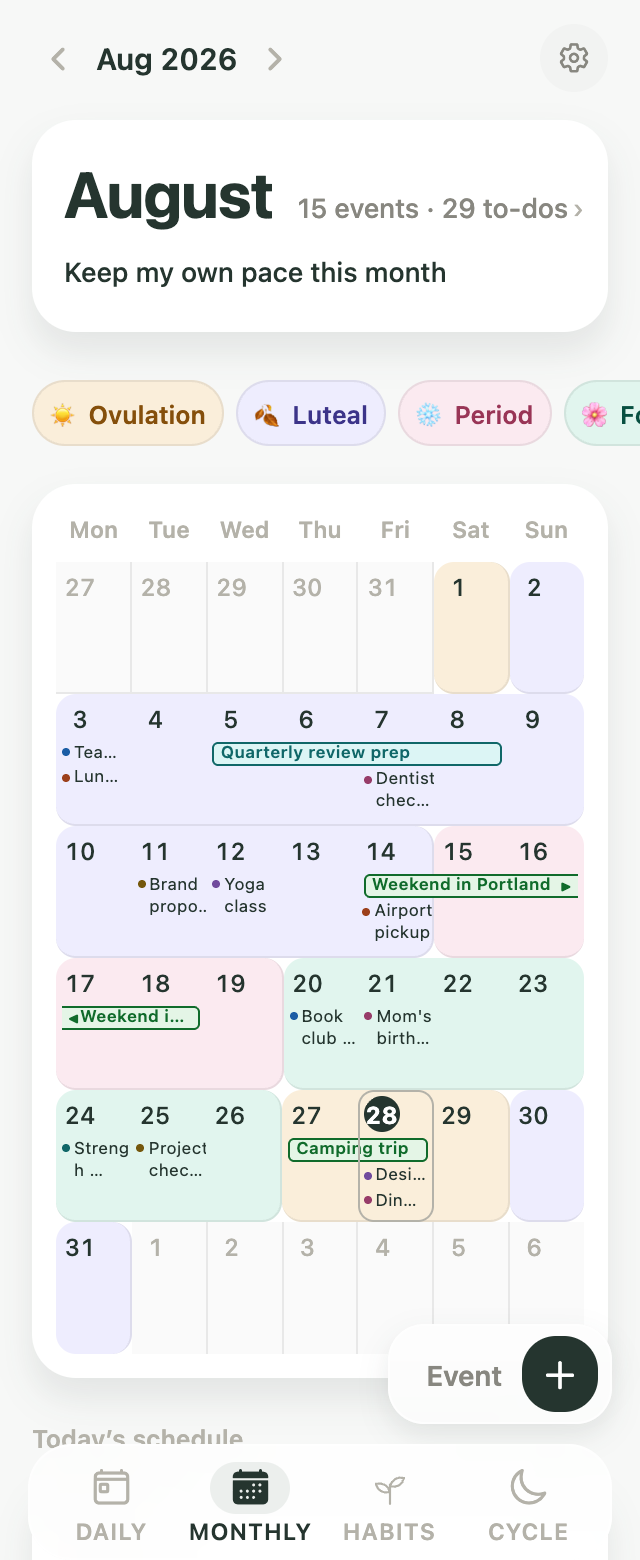
The same screen in the app and on the web.Also on the web.
Sample calendar
A sample view — nothing is entered or saved.
See what’s ahead in your cycle
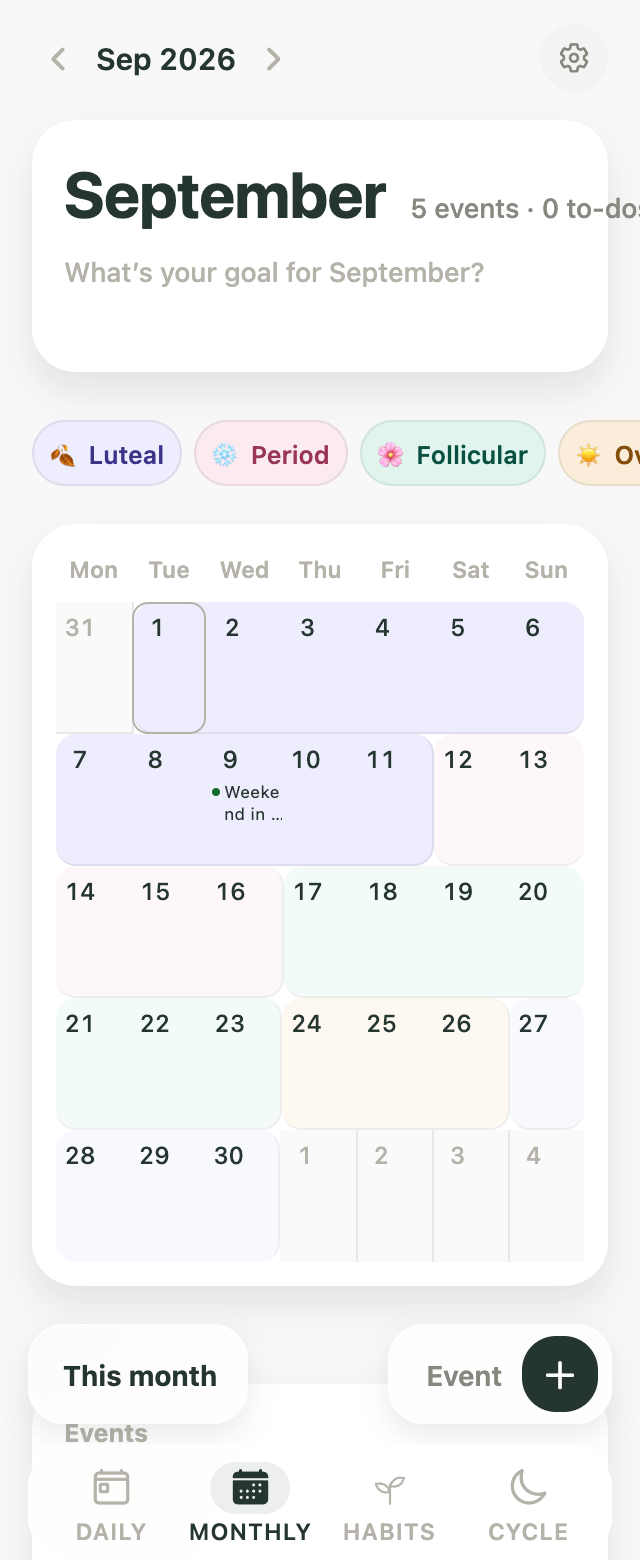
Once you log your period, Kiyo shows the estimated cycle ahead in Monthly.
See next week and next month alongside the plans already on your calendar, so you have more context before deciding what goes where.
A trip, a busy week, a workout plan — they don’t have to live on a separate calendar from your cycle.
Your cycle changes through the month
Hormone levels shift across the menstrual cycle, and energy, appetite, mood and physical symptoms can shift with them.
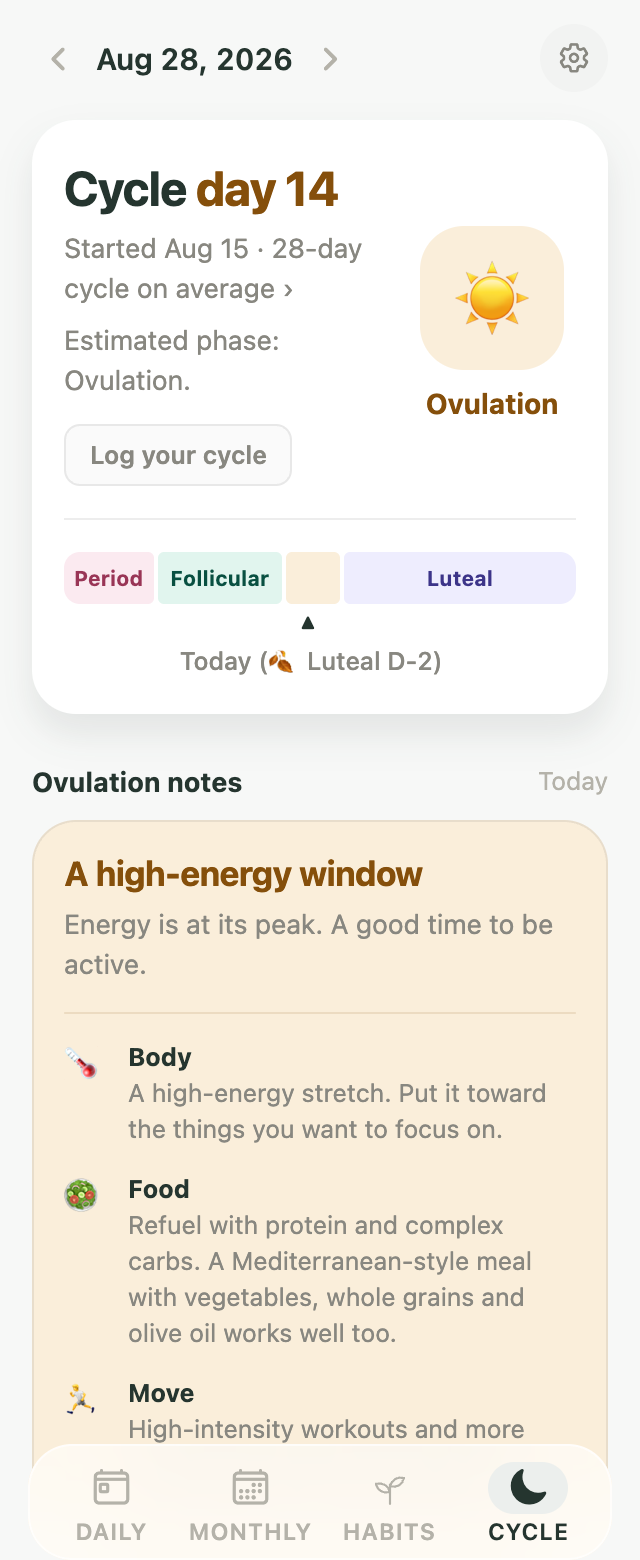
Kiyo shows the phase you’re in — and what’s coming next — with short notes you can actually use when planning.
A little more room can feel good here
During your period, estrogen is low, and fatigue, cramps or lower energy can be more noticeable.
In cycle syncing, this phase is often treated as a time for lighter movement, more rest, and a little more breathing room in your schedule.
Energy starts to build again
After your period, estrogen rises and energy often begins to pick up.
Cycle syncing often uses this phase for more active plans, trying something new, or gradually adding more intensity to workouts and routines.
A naturally more active window
Around ovulation, estrogen reaches a high point and many people notice more energy.
In cycle syncing, this is often used as a window for social plans, higher-energy activities, or a fuller schedule.
Plan with the later part of the phase in mind
After ovulation, progesterone rises. As your next period gets closer, PMS symptoms such as fatigue, appetite changes or mood changes can become more noticeable.
Cycle syncing often uses the later luteal phase as a time to ease the pace, adjust workout intensity, or leave a little more room for rest.
Your cycle won’t feel exactly the same every month. Use these patterns as context, then plan around what you actually notice in your own body.
What cycle syncing looks like in Kiyo
Cycle syncing is a way of adjusting everyday routines around the changing phases of the menstrual cycle.
Some people use that context to change how they approach workouts, rest, food, social plans or busy weeks.
Kiyo doesn’t build a phase-perfect schedule for you.
Instead, it shows your upcoming cycle alongside the plans you already have — so you can decide what makes sense for you.
- See what’s comingLook ahead at your estimated cycle in Monthly.
- Understand the phaseCheck a short explanation of what may be changing in your body and how the phase is commonly used in cycle syncing.
- Plan it your wayMove, add or lighten events, to-dos and habits based on what you want your week to look like.
A note on cycle syncing
Cycle syncing is a popular way to use menstrual-cycle patterns when planning everyday life, but research has not established one clinically proven schedule for what everyone should eat, do or plan in each phase. Kiyo uses cycle information as context for planning, not as medical advice or a prescription.
Compare the phase with your real plans, then decide
The point isn’t to follow a perfect phase-by-phase routine.
It’s having one more piece of context when you decide what your week should look like.

Busy weeks
See where a packed week falls in your cycle before deciding how much else you want to add.
Workouts
Use the phase notes together with how you actually feel to decide whether you want more intensity, less intensity, or your usual routine.
Rest
If you tend to feel more tired around the same part of your cycle, you can leave more room the next time it comes around.
Social plans
If you often feel more energetic at another point in your cycle, you might choose to put more active or social plans there.
When the day arrives, see it all together
Monthly helps you look ahead.
Daily brings today back into focus.
See your current cycle phase alongside today’s events, to-dos and habits. If today feels different from what you expected, you can adjust the plan you made earlier.
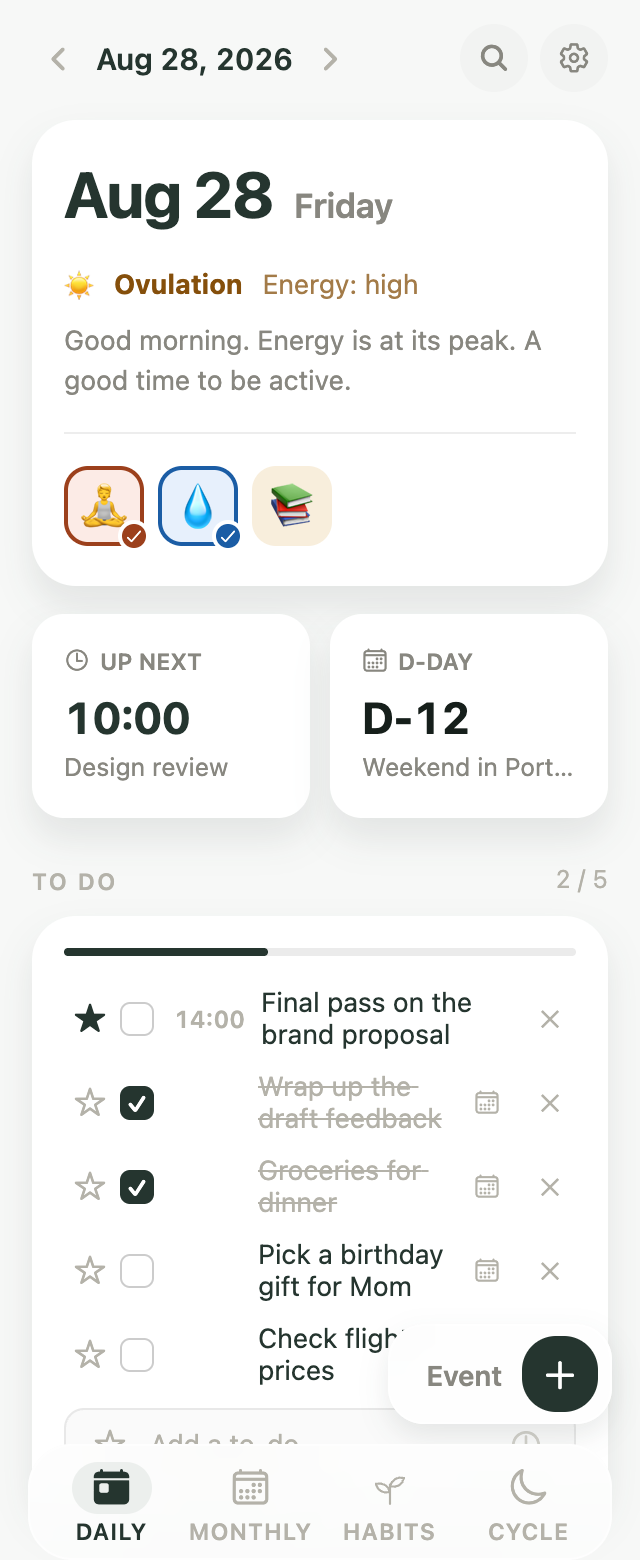
Track your period, then see what comes next
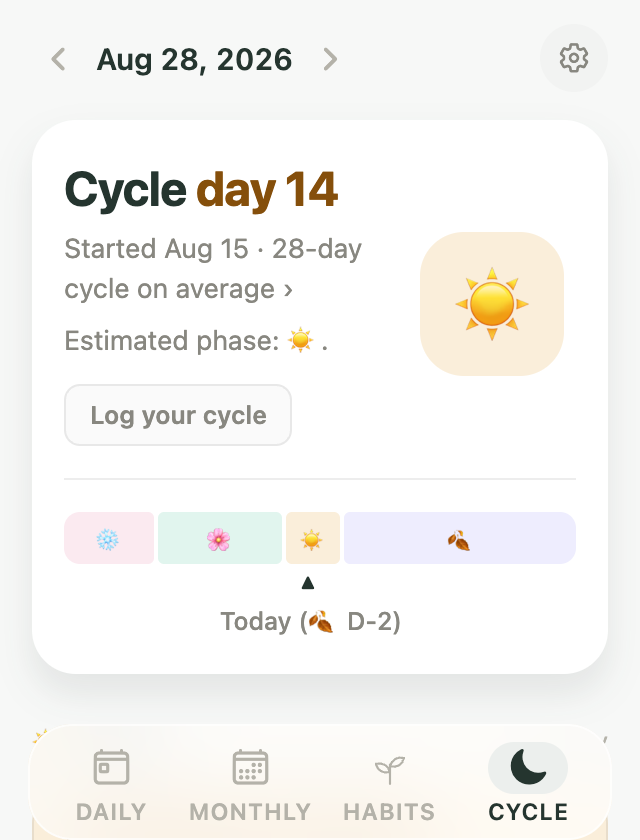
Log the start of your period and Kiyo uses your cycle history to estimate what’s ahead.
Your predicted period and cycle phases appear on the same calendar as the rest of your plans.
If you only want to estimate your next period date, you can use the standalone calculator without setting up Kiyo first.
Your cycle is optional in Kiyo
Turn it on only if you want it
Cycle features are optional. You can still use Kiyo for events, to-dos and habits without tracking your period.
Keep cycle data separate from connected calendars
Period data is not added to Google Calendar as calendar events. Connecting Google Calendar or Google Tasks syncs your events and to-dos only.
Discreet mode
Hide phase names and show your cycle phases as emoji instead. Choose a set — faces, weather, moon or nature — or assign your own emoji to each phase.
From the blog
-
Planner Apps With Period Tracking: How to Choose
Want period dates beside your plans? Compare five setups, from Google Calendar entries to cycle-aware planners, plus Apple Health import and privacy.
-
How Period Apps Predict Your Next Period
Most apps add your typical cycle length to your last start date. Why that date moves, how Kiyo calculates it, and how to plan around a range, not a day.
-
Period Tracker Online: Track Your Cycle in a Browser
Track your period on a computer without a phone app: options that work in a browser, where each keeps your records, and when a dedicated app fits better.
-
Can I Add My Period to Google Calendar?
You can add period dates to Google Calendar as all-day events. Or connect Google Calendar to Kiyo and see your estimated cycle behind your events instead.
-
Should You Put Your Period on Your Calendar?
You can add your period as an all-day event. Or see your estimated cycle as a color layer behind your plans, so it informs them without taking a spot on the calendar.
Frequently asked questions
Is Kiyo a period tracker?
Kiyo includes period and cycle tracking, but it isn’t only a period tracker. It’s a planner for events, to-dos and habits, with optional cycle features that let you see your menstrual-cycle context alongside the rest of your plans. You can use Kiyo without turning cycle tracking on.
Does Kiyo automatically plan my schedule around my cycle?
No. Kiyo shows your estimated cycle, phase information and the plans already on your calendar. You decide what to add, move, lighten or keep exactly as it is.
What is cycle syncing?
Cycle syncing is a way of adjusting parts of everyday life — such as exercise, rest, food or scheduling — around the phases of the menstrual cycle. Kiyo uses the idea as planning context rather than a fixed program. It shows the cycle ahead and useful phase notes, while the actual plan stays yours.
Can Kiyo predict my next period?
Yes. Kiyo estimates your next period from the cycle information you record. If you only want a quick estimate without setting up the planner, use the standalone period calculator.
Do I need to follow the phase suggestions?
No. The phase notes are there to give you useful context. Use what matches your own patterns and ignore what doesn’t. Your actual energy, symptoms and plans matter more than following a fixed cycle-syncing routine.
Can I use Kiyo for birth control or contraception?
No. Kiyo’s period predictions and cycle information are not intended for contraception, diagnosis or medical decision-making.
With Kiyo
You can’t choose when your cycle shows up. You choose to see it coming.
Flip to next month and the estimated cycle is already there, next to the plans you’ve made — on your phone and on the web.
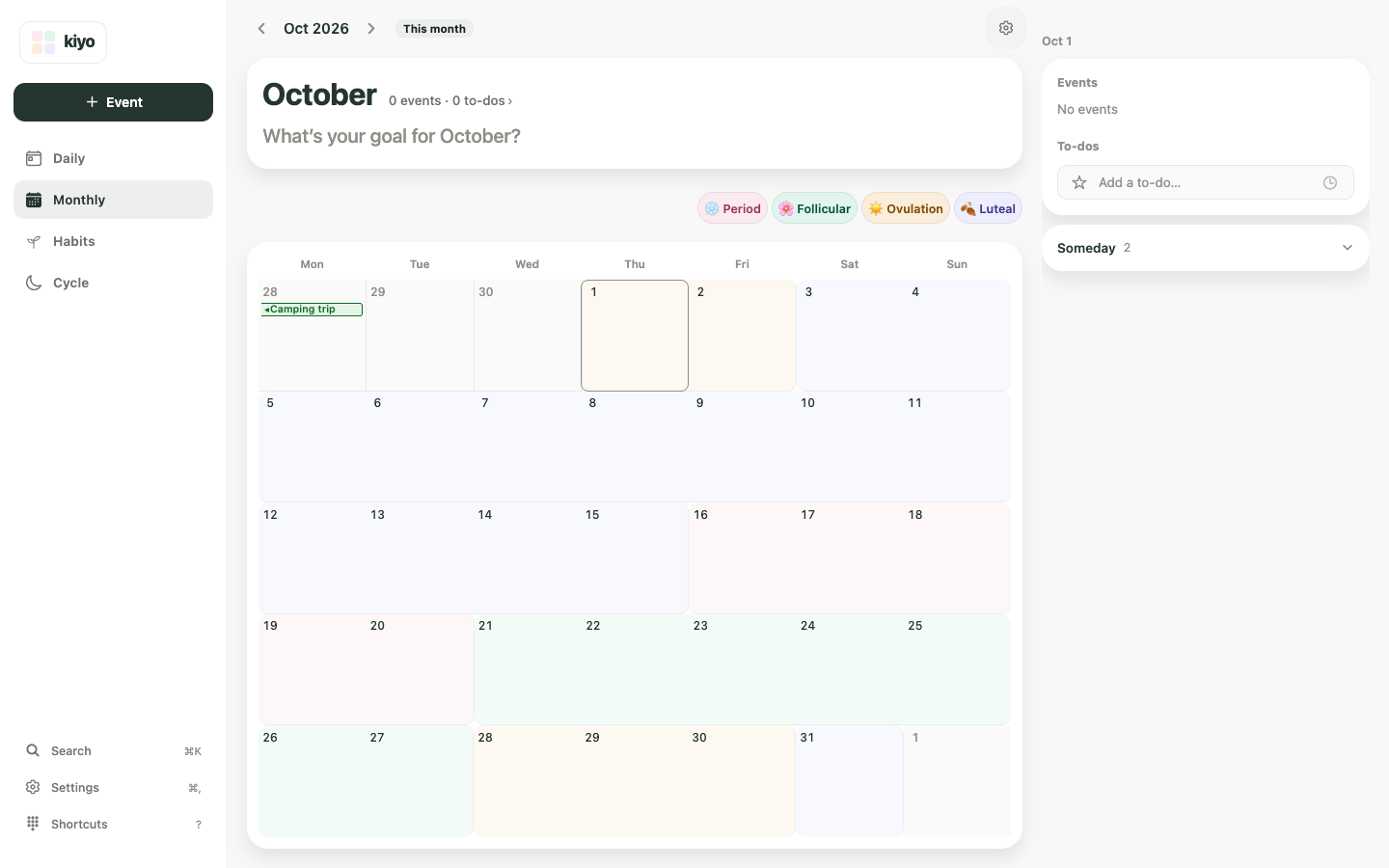
The same screen in the app and on the web.Also on the web.
See the month ahead. Plan it your way.
Bring your cycle into the same calendar as the rest of your life.
Start on the web Get the iPhone app Get the Android app