Habits in Kiyo
A habit tracker that fits your actual week
Set each habit for the days you actually plan to do it. Check in from Habits or Daily, then look back on streaks, completion rates, and weekday patterns — without treating days off as misses.
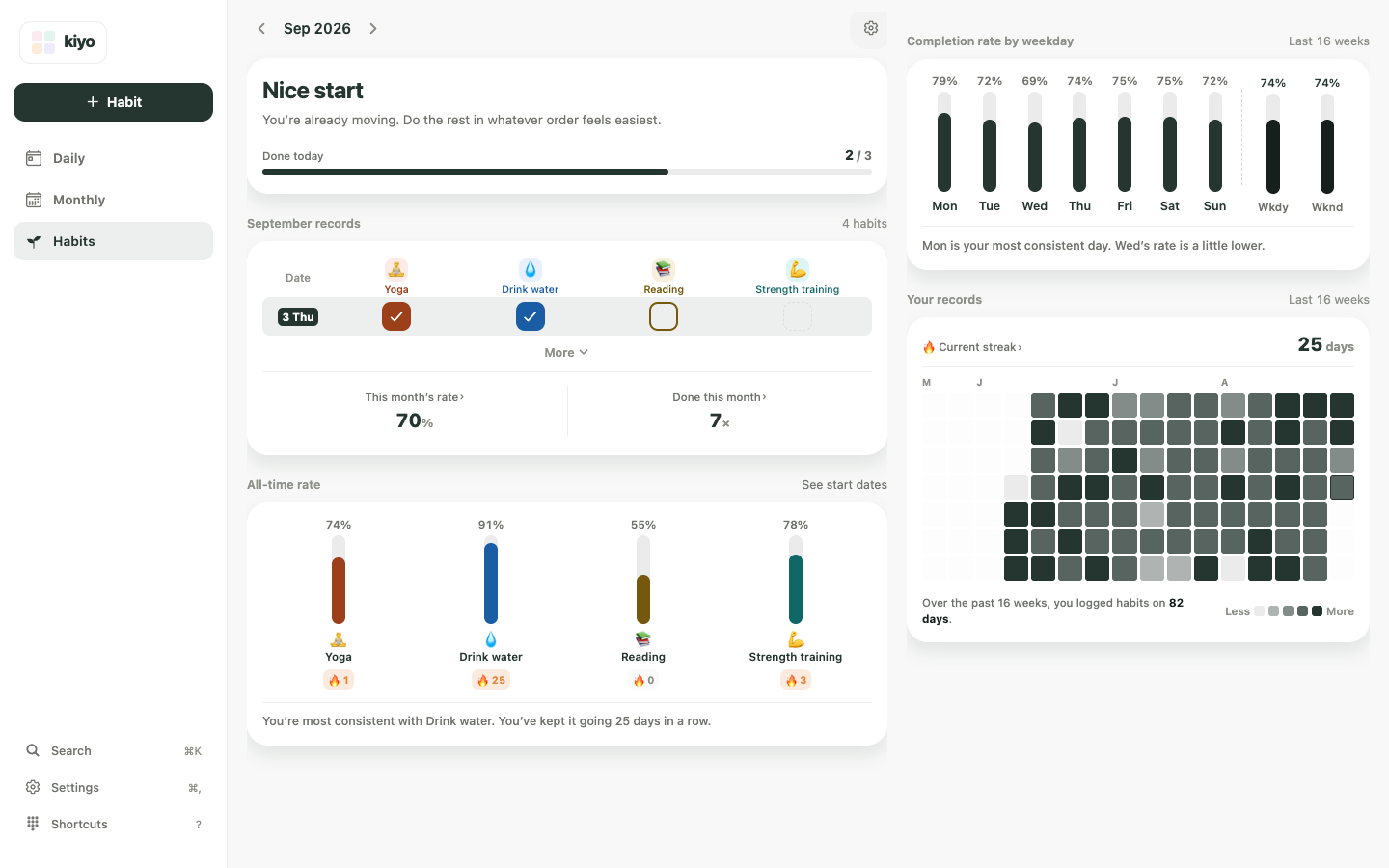
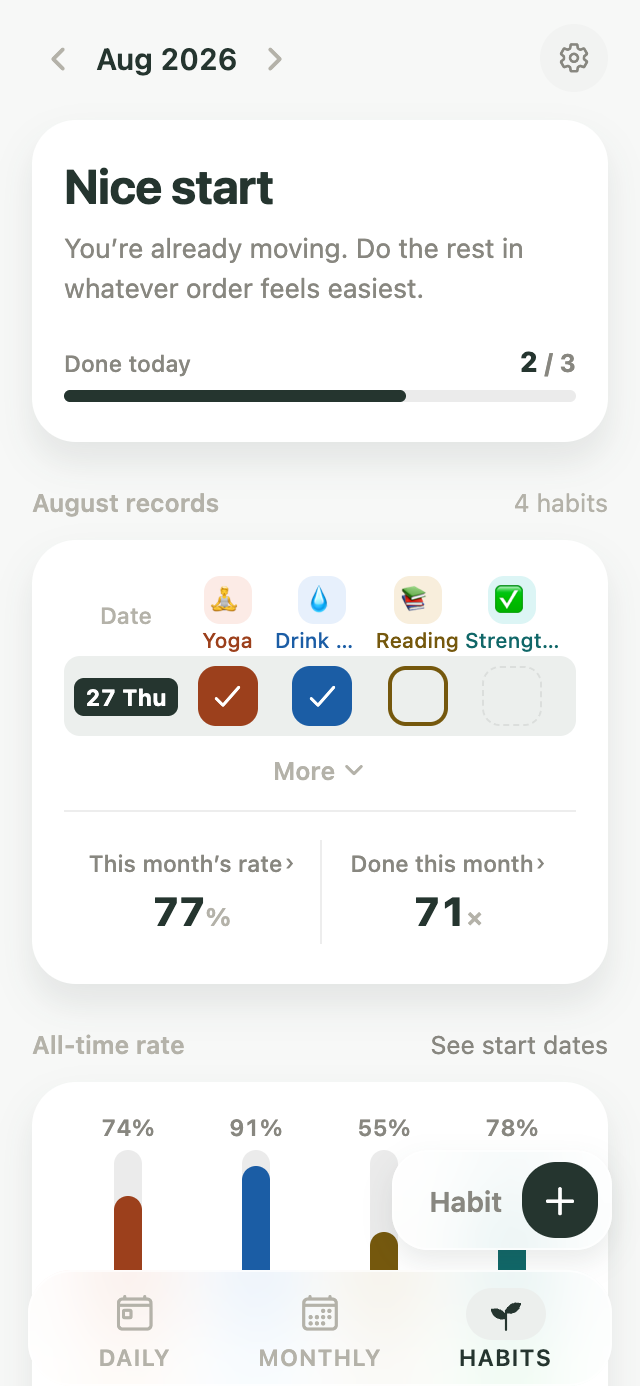
The same screen in the app and on the web.Also on the web.
Not every habit needs to be daily
A workout on Monday, Wednesday, and Friday doesn’t need to look unfinished on Tuesday and Thursday.
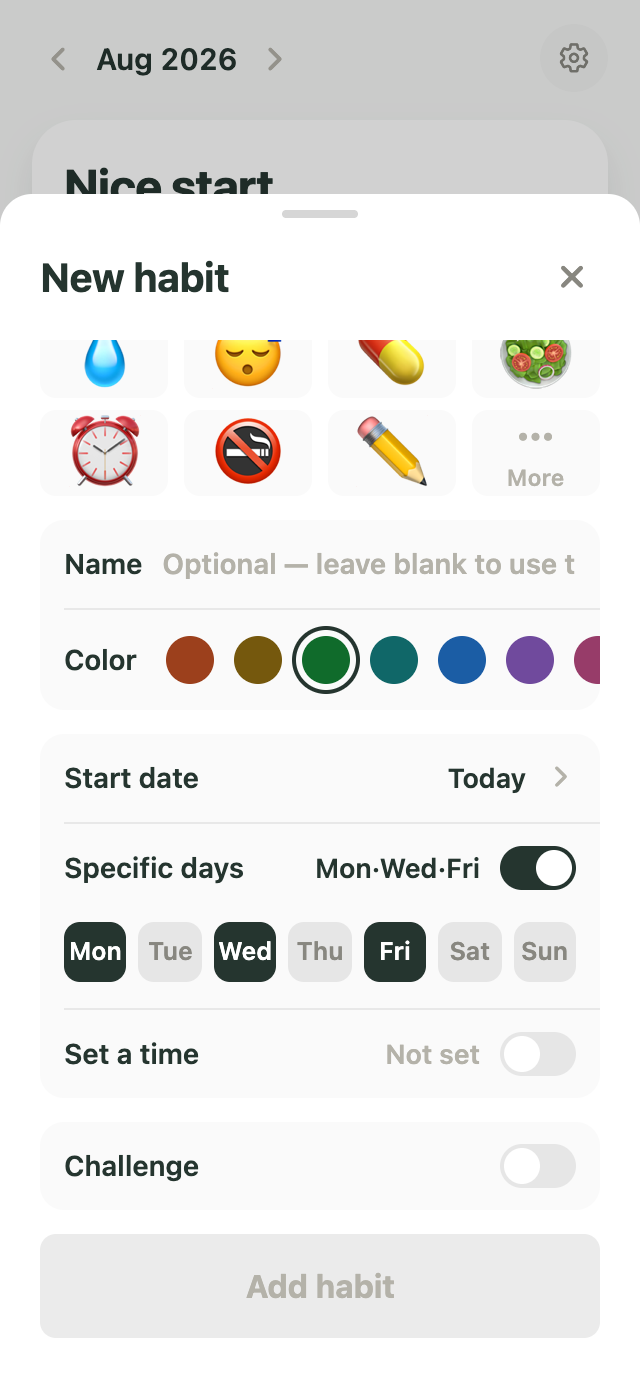
Choose the days that belong to each habit. Days you didn’t schedule stay as days off, so your record follows the routine you actually planned.
You can start with an emoji, add a name if you want, and choose when the habit begins.
See today’s habits with the rest of your day
Habits don’t have to live in a separate tracker.
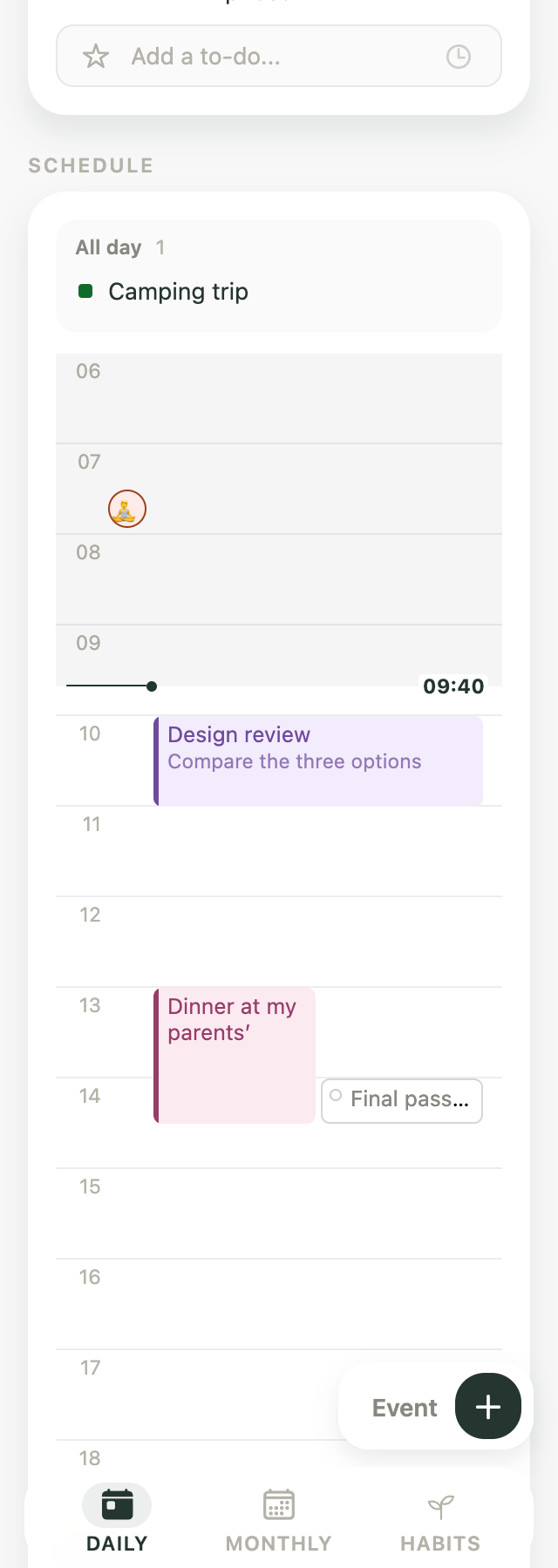
Check them from the monthly Habits view, or set a time for a habit and see it in your Daily timeline alongside events and to-dos.
What you planned for today stays in one place.
Setting a time places the habit in your Daily timeline. It doesn’t set a separate notification for that habit.
See more than a single streak
One number doesn’t have to describe the whole habit.
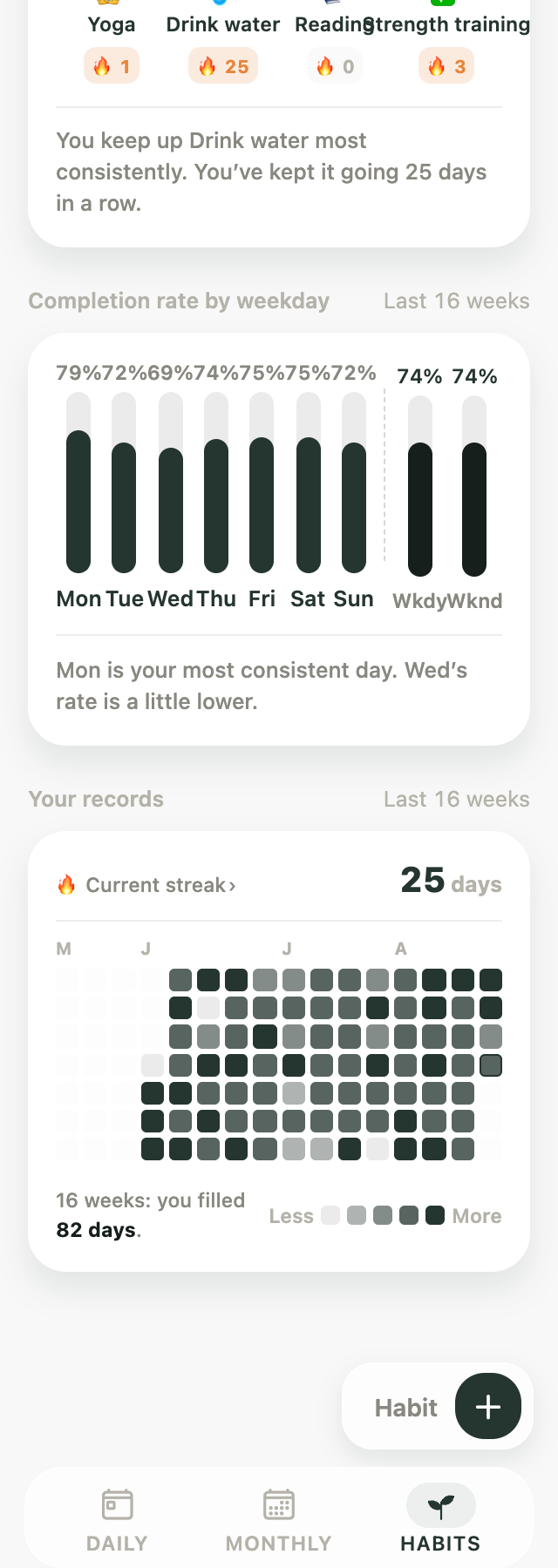
See how this month is going, how things have looked since you started, and how your check-ins vary across the week.
On the Habits screen, these appear as:
- This month’s rate
- Done this month
- Completion rate by weekday
- Your records
Use the different views to notice the pattern that’s useful to you.
A day off isn’t a missed day
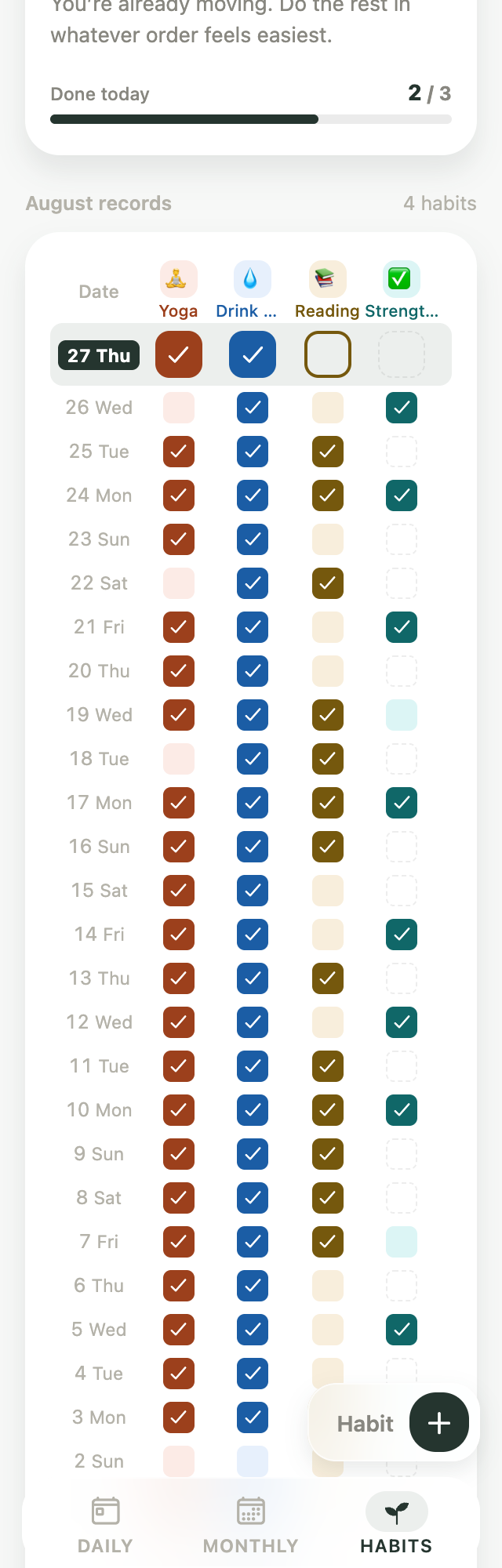
Kiyo keeps different kinds of days separate.
- Completed — A day you planned the habit and checked it off.
- Not completed — A scheduled day that was left unchecked.
- Rest day — A day the habit wasn’t scheduled in the first place. The app labels these days off in your records.
- Not active — A date before the habit started, after it ended, or outside the active range.
Days off never break a streak. The 🔥 badge under each habit counts check-ins in a row on that habit’s scheduled days, so days off don’t add to it. Current streak in Your records counts calendar days across all your habits, so days off between completed days count toward it.
If you exercise on Monday, Wednesday, and Friday and complete those three days, Tuesday and Thursday stay days off. Your streak follows the schedule you actually set.
From the blog
-
Broke Your Habit Streak? What It Really Tells You
Missing one day doesn't undo a habit. What research says about broken streaks, and why streaks and completion rates tell different stories.
-
Google Calendar Habit Tracker: 3 Ways Compared
Google Calendar has no habit tracker. Compare recurring events, repeating Google Tasks and a planner that shows your Google plans beside a habit record.
-
Events, To-Dos and Habits: What Belongs Where?
Calendar event, task or habit? Learn where appointments, deadlines and regular practices belong—and how to bring them together in a workable daily plan.
-
Should You Put Your Period on Your Calendar?
You can add your period as an all-day event. Or see your estimated cycle as a color layer behind your plans, so it informs them without taking a spot on the calendar.
Frequently asked questions
Can I use Kiyo as a routine tracker?
Yes. In Kiyo, recurring routines are called habits. You can choose the days for each habit, check it off as you go, and review the record over time.
Do my habits have to be daily?
No. You can choose specific days of the week, such as Monday, Wednesday, and Friday, or schedule a habit for every day. Days you don’t select are treated as days off.
Do days off break my streak?
No. The 🔥 badge under each habit counts its check-ins in a row on scheduled days, so days off neither add to it nor break it; it ends when a scheduled day goes unchecked. Current streak counts calendar days across all your habits, including days off between completed days, and ends only on a scheduled day when nothing is checked. Neither one ends today until the day is over.
Can I set a reminder for each habit?
Not separately for each habit. On iOS, Kiyo can send one daily habit reminder for the app. Habit reminders aren’t currently available on the web. If you assign a time to an individual habit, that time controls where it appears in your Daily timeline — it doesn’t create a separate notification.
What time period do the habit stats use?
Monthly completion stats use the month you’re viewing. A habit’s overall completion rate uses the record since that habit began. Weekday patterns use the most recent 16 weeks, while streaks are calculated from your full habit history.
Can I create a habit with an end date?
Yes. You can set a start and end date for a habit. For something you want to do over a defined period, you can also create it as a Challenge and keep the end date and total duration visible while it’s active.
With Kiyo
Your habits, in the same place as your day.
Give a habit a time and it shows up in your Daily timeline next to events and to-dos. Check it there, or from Habits — the record is the same.
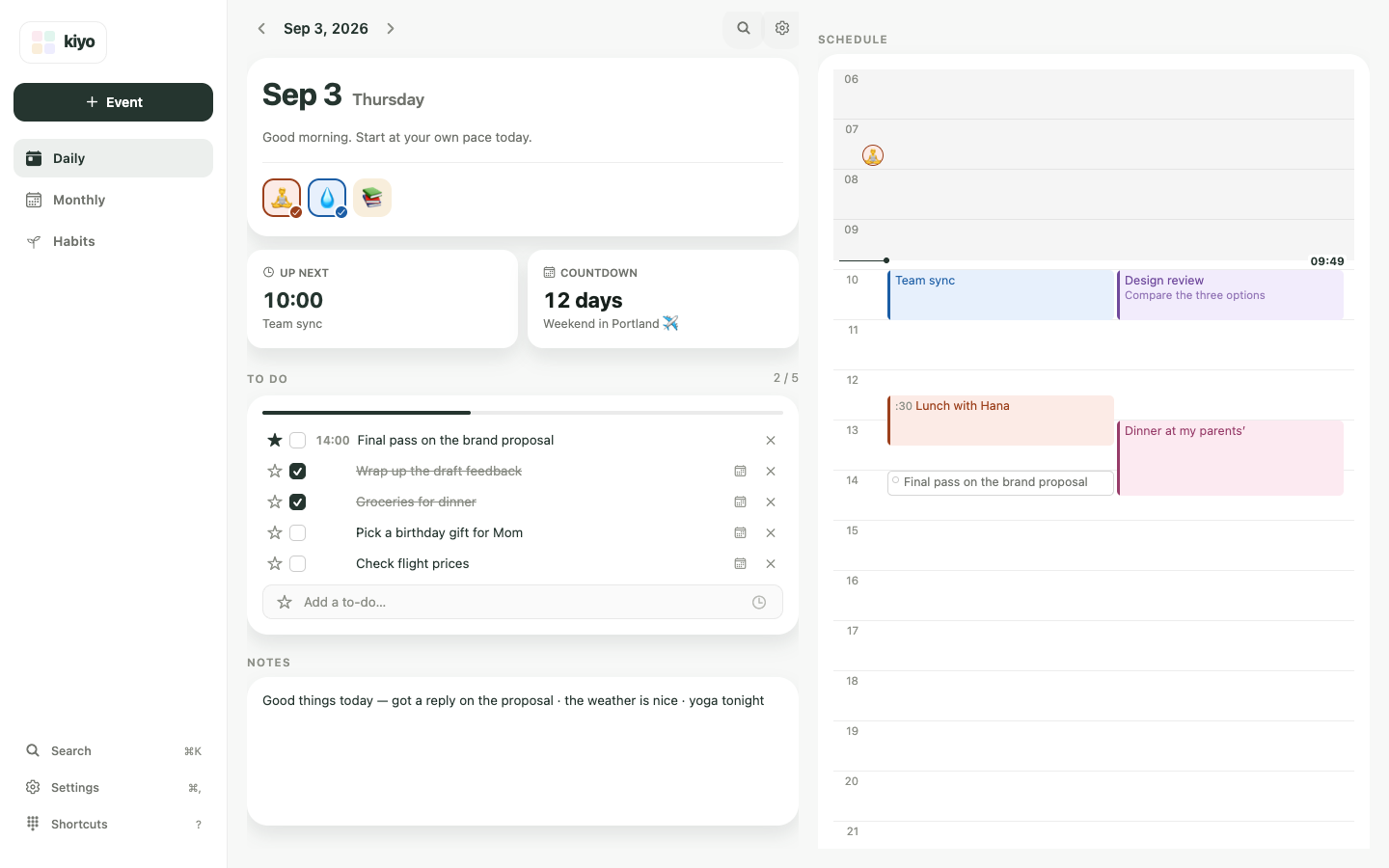
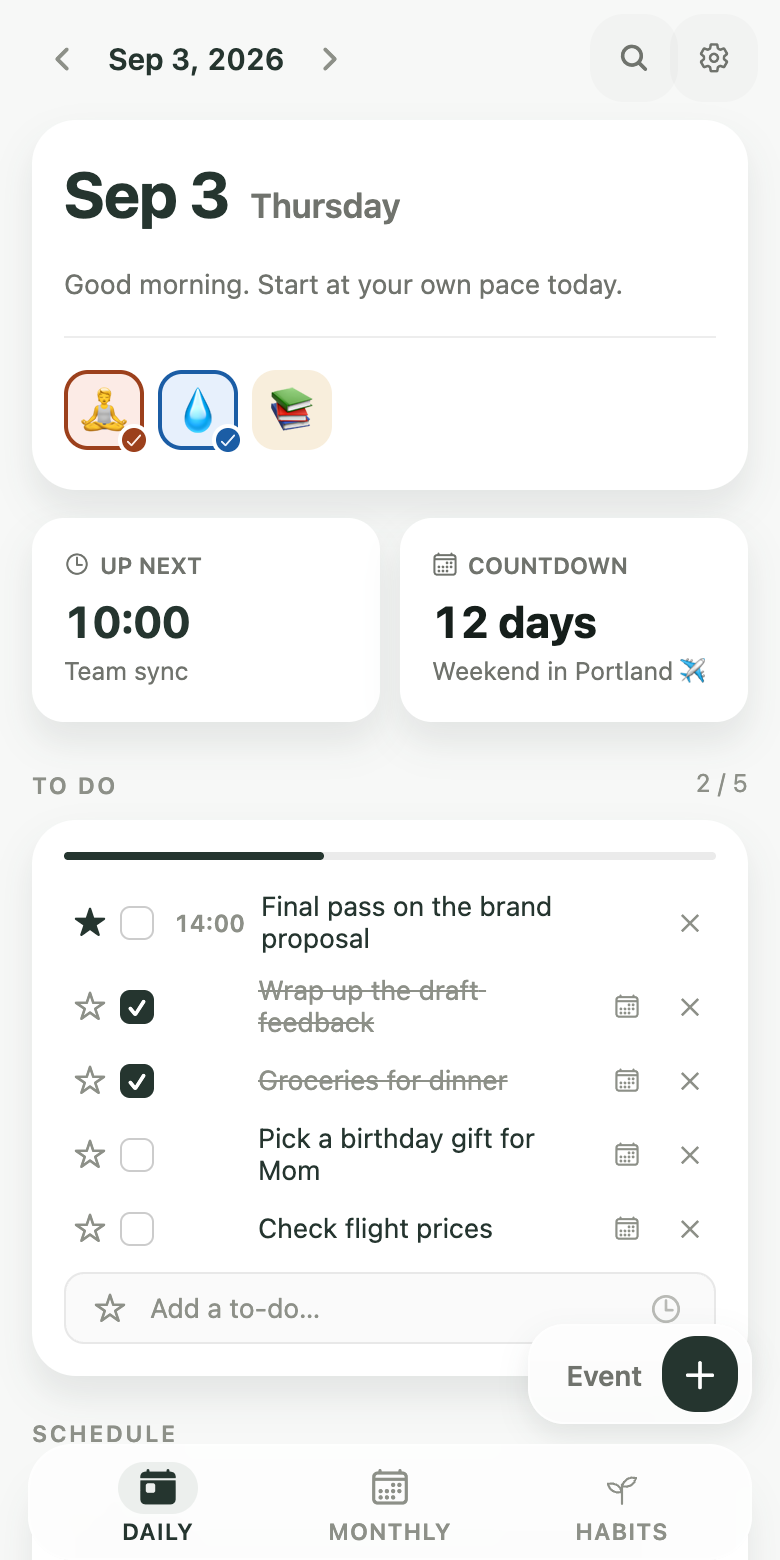
The same screen in the app and on the web.Also on the web.
Start with one habit. Add something you already want to keep doing, and let Kiyo keep the record with the rest of your day.
Start on the web Get the iPhone app Get the Android app