How to add the Kiyo widget to your Android home screen
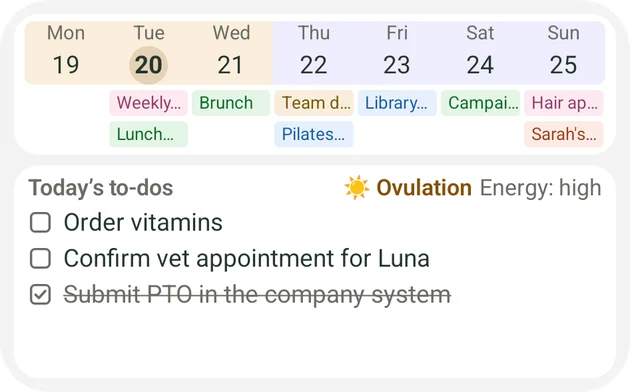
Keep this week’s events and today’s to-dos in view on your home screen. Requires Kiyo 1.2.8 or later, available free on Google Play.
Open the widget list
Touch and hold an empty spot on your home screen, then tap Widgets.
Add the Kiyo widget
Find Kiyo in the list or search for “Kiyo,” then select the widget and tap Add or touch and hold it to drag it onto your home screen.
Resize it on your home screen
Once the widget is on your home screen, touch and hold it to resize: wider shows this week’s events and today’s to-dos; narrower shows today’s to-dos. Tap the widget to open Kiyo.
Related questions
Can’t find Kiyo in the widget list?
Check Google Play to make sure Kiyo 1.2.8 or later is installed. If an update is needed, install it and reopen the widget list.
Does the widget say “Open the app” or look out of date?
Open Kiyo to refresh the widget. It shows what the app last saved.