See your Google Calendar beside your cycle
Bring Google Calendar events and Google Tasks into Kiyo. See your plans and estimated cycle together in Monthly, with cycle information as a calendar layer.
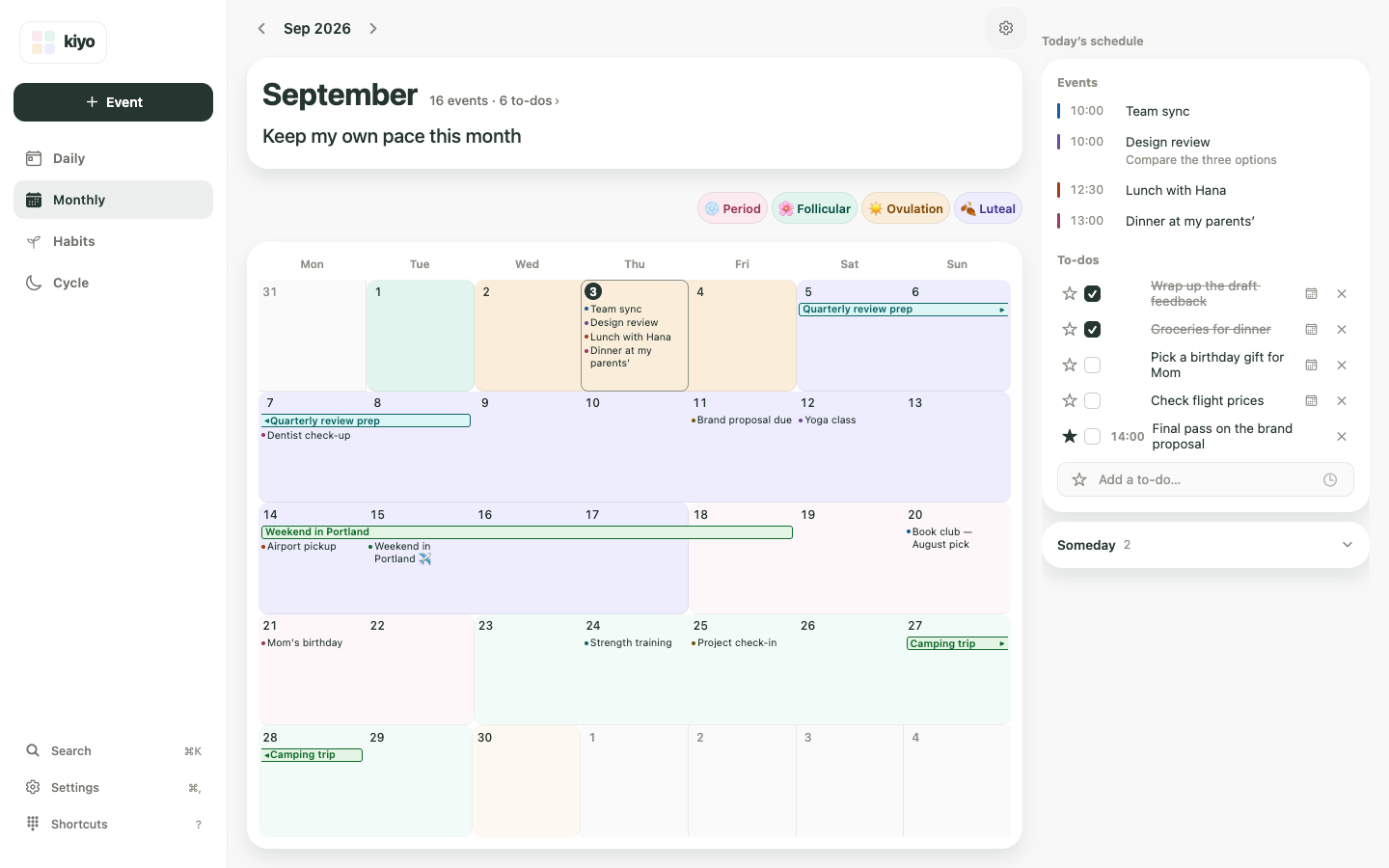
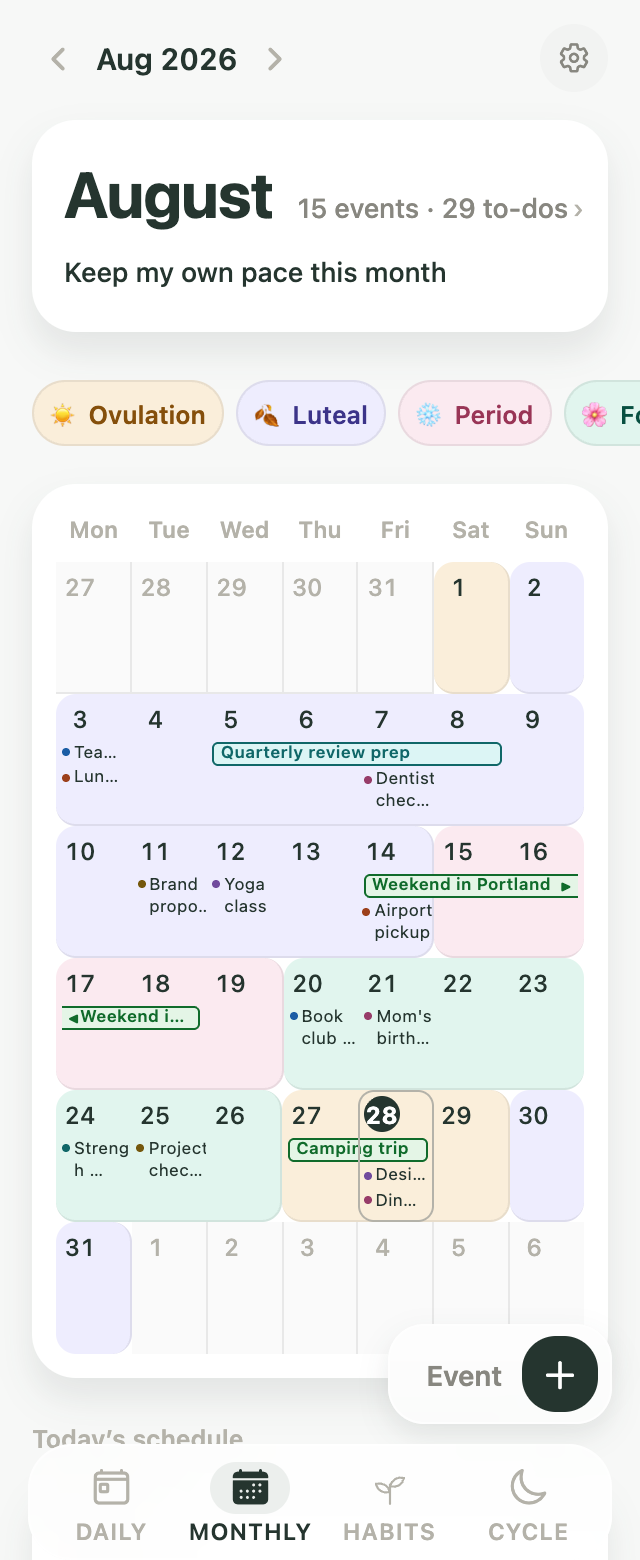
One calendar view, with context
In Kiyo, cycle information adds context to your calendar without taking up an event slot. Events, to-dos and habits each have their own place in Kiyo, and Daily brings them together. The optional cycle layer helps you compare dates with your plans and decide for yourself.
What goes to Google
After signing in, connect Google Calendar and Google Tasks in Settings. When writing to Google is enabled, supported event changes such as titles, dates, times, recurrence and notes can be sent to Google Calendar. Task titles, due dates and completion status can sync with Google Tasks. Deletions can also be reflected. Only the supported fields and connected items are synced.
What stays out of Google Calendar
Kiyo does not export your cycle records as Google Calendar events. Period starts and estimated cycle phases belong to a separate cycle layer inside Kiyo. Connecting Google does not send those cycle records to Google. If you put health information in an ordinary event or task yourself, that text follows the normal Google sync rules.
A layer in Kiyo, not period events in Google
An event-export tool adds period entries to Google Calendar. Kiyo instead brings your Google plans into Kiyo and shows the optional cycle layer beside them. Your Google Calendar itself will not show that layer.
Start on the web
No installation is needed. Start with one event, to-do or habit without an account. Sign in when you want to connect Google. Cycle features are optional, and saving cycle records follows the separate consent flow. Account sync can include cycle records after consent; “not sent to Google” does not mean “never leaves your device”.