Your Cycle Is Context, Not a Calendar Event
Imagine you’re choosing a weekend for a trip. Your calendar shows which dates are free, but your expected period lives somewhere else. You open a tracker, check the dates, then go back to the calendar to compare.
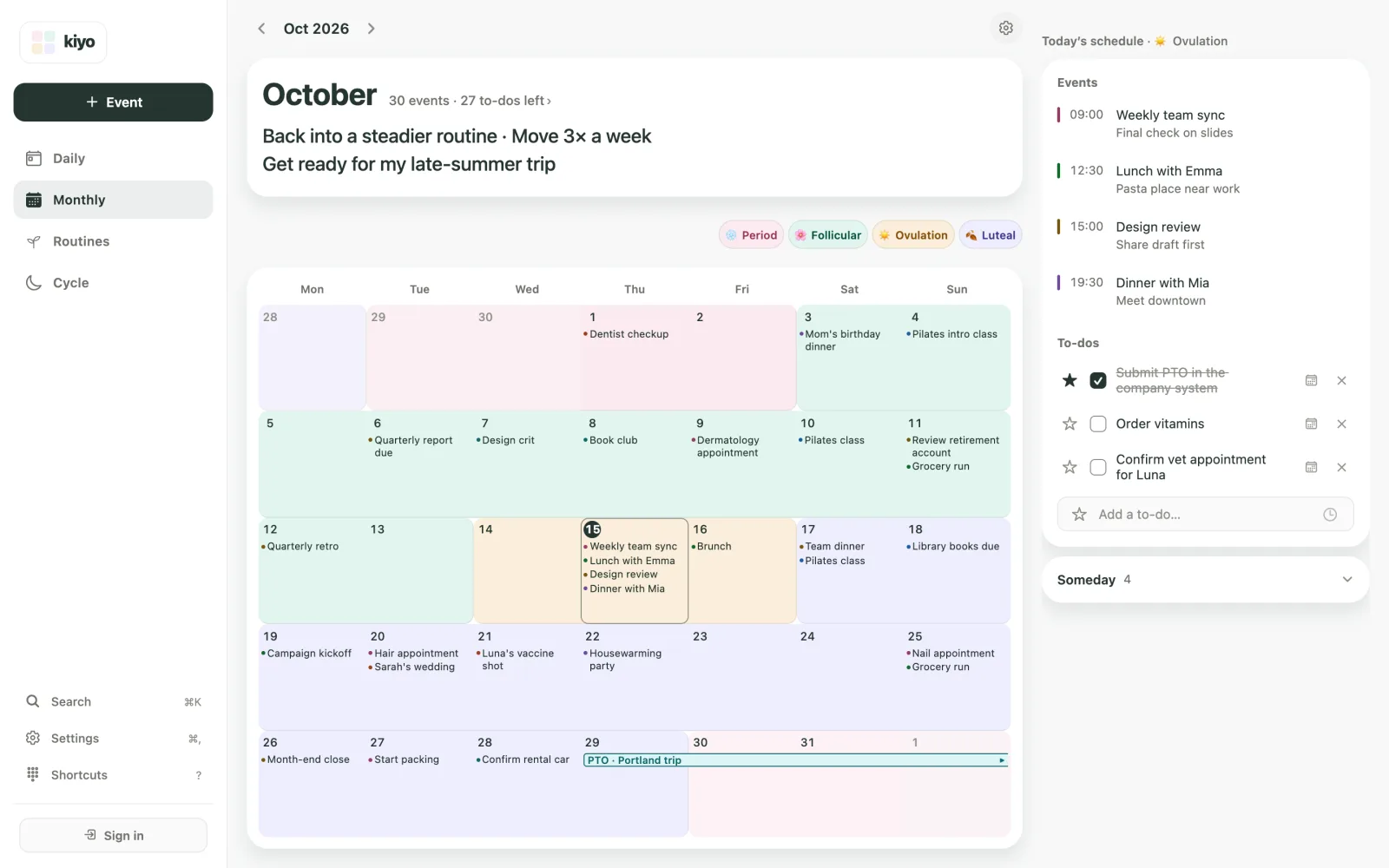
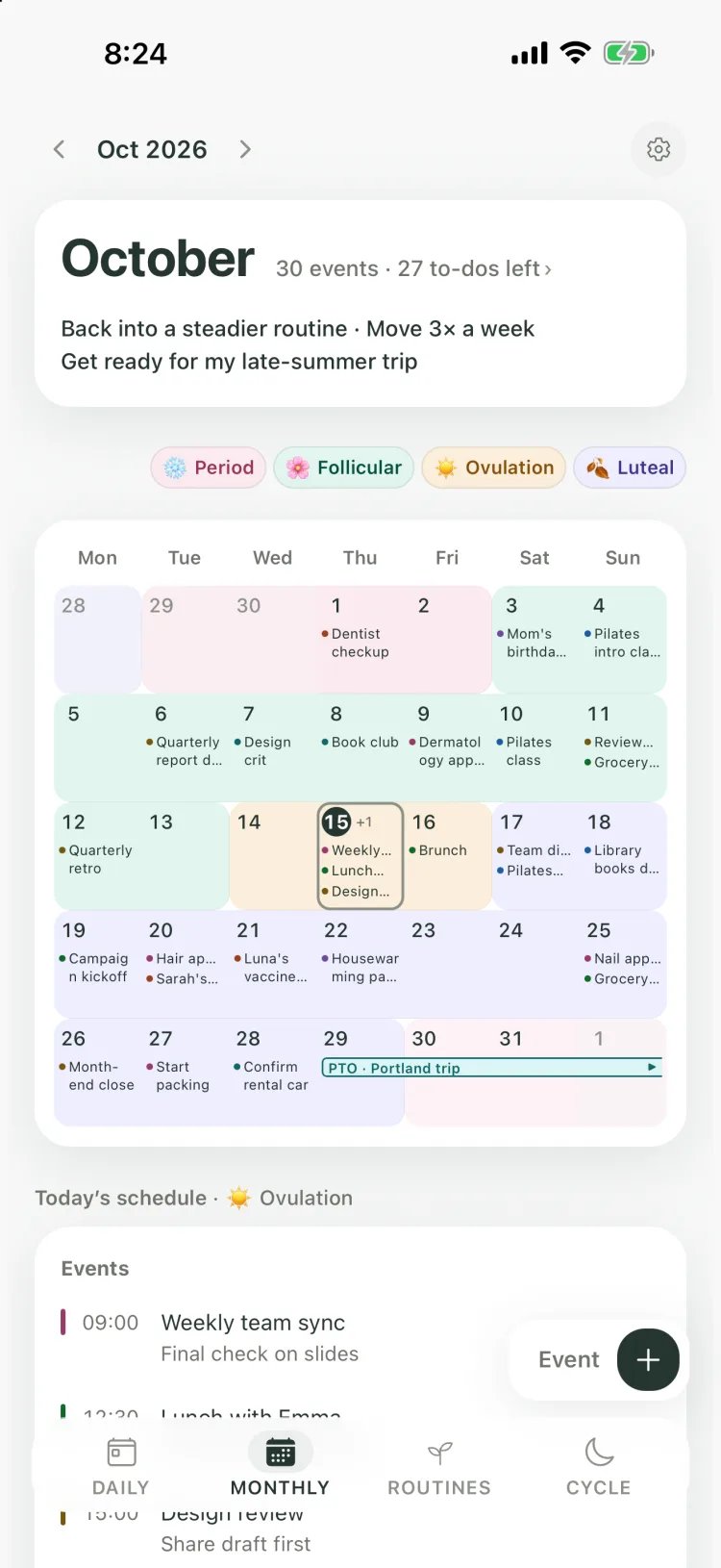
You can see both in one place without adding another calendar event. In Kiyo, a personal planner for the web and iPhone, events stay calendar items, and you can choose to show estimated menstrual cycle phases as a color layer behind the dates. You can weigh expected cycle timing right next to your plans.
See your cycle without adding another event
Adding “Period” as a calendar entry is one way to keep track of the dates, and it works for many people. But you may want that information visible without another entry sitting among your appointments.
In Kiyo’s Monthly view, cycle colors sit behind your events. A dentist appointment or a trip stays on its date, with cycle information visible around it. The event tells you what’s planned; the color layer gives you something else to consider.
That’s what context means here: information you can refer to while deciding what goes on the calendar.
Events, to-dos, and routines work differently
The trip is only one part of the picture. There may also be a booking, paperwork to finish, and routines you want to keep up. Kiyo gives each one a form that fits its role.
| Part of your day | What matters | Example |
|---|---|---|
| Event | When it happens | A flight, a booked class, or a day off |
| To-do | Whether it’s done | Renew your passport or submit a time-off request |
| Routine | Repetition and continuity | Keep up a morning stretch |
| Cycle | Recurring context | Expected period timing next to a possible trip |
A to-do can have a date or deadline and still be something to check off. You can schedule a routine for specific days and keep a record of your check-ins without each occurrence becoming an event in the Monthly view. A yoga class booked for 9 a.m. is an event; a stretching practice is something you keep going.
Period estimates are one part of planning
Back to the trip. Expected period timing can be useful when comparing two weekends. So can train fares, a friend’s availability, and how many days off you have left.
You might pick different dates, leave the itinerary a little looser, or keep the trip exactly as planned. Changing nothing is a perfectly good decision.
A period start date you logged is a record; a predicted start date is an estimate. The color on a future day can’t tell you how you’ll actually feel. Use it alongside your own experience and what the plan involves.
Monthly looks ahead; Daily brings the day together
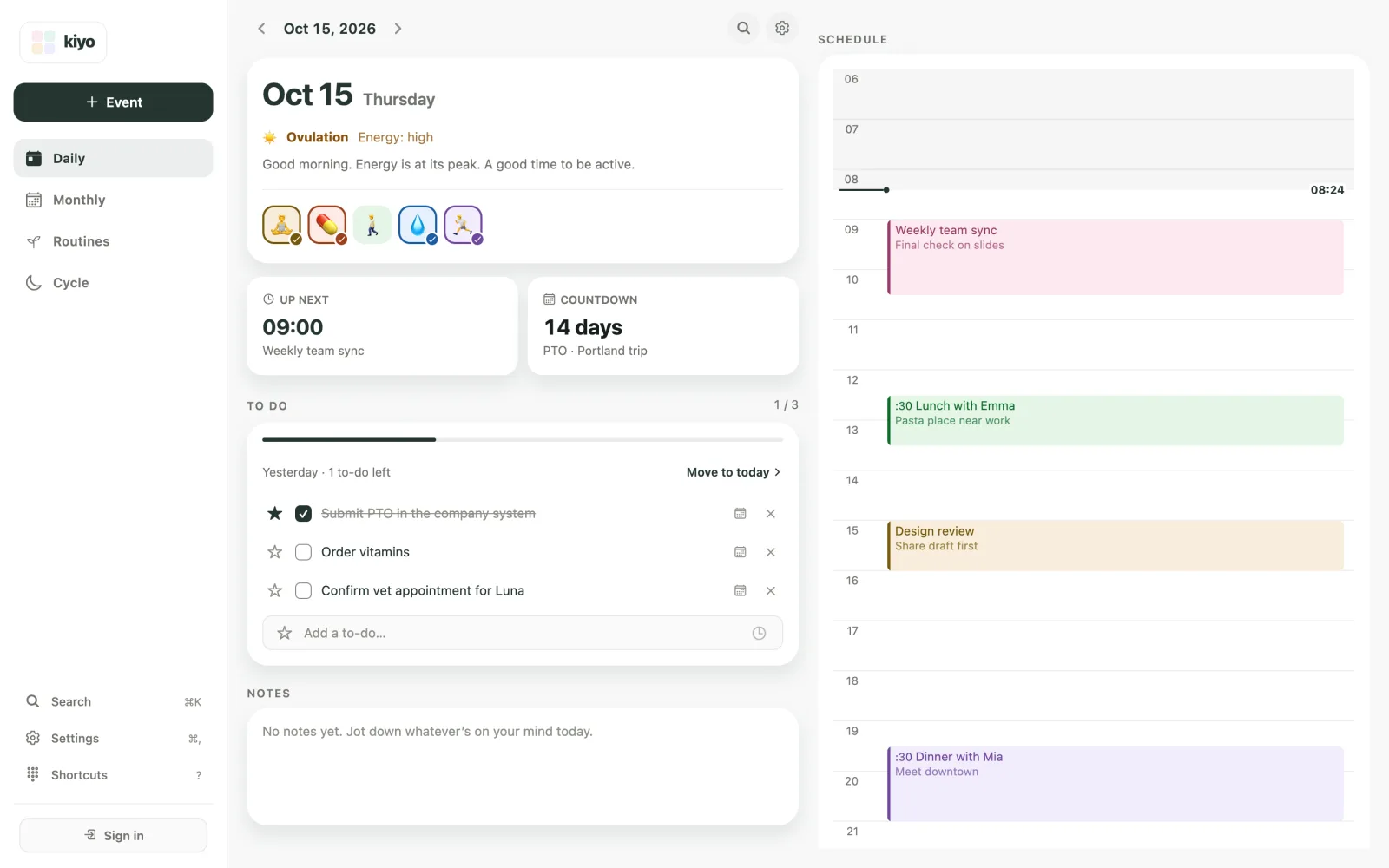
When the day arrives, you want to see what’s happening, what needs finishing, and what you’d like to keep doing.
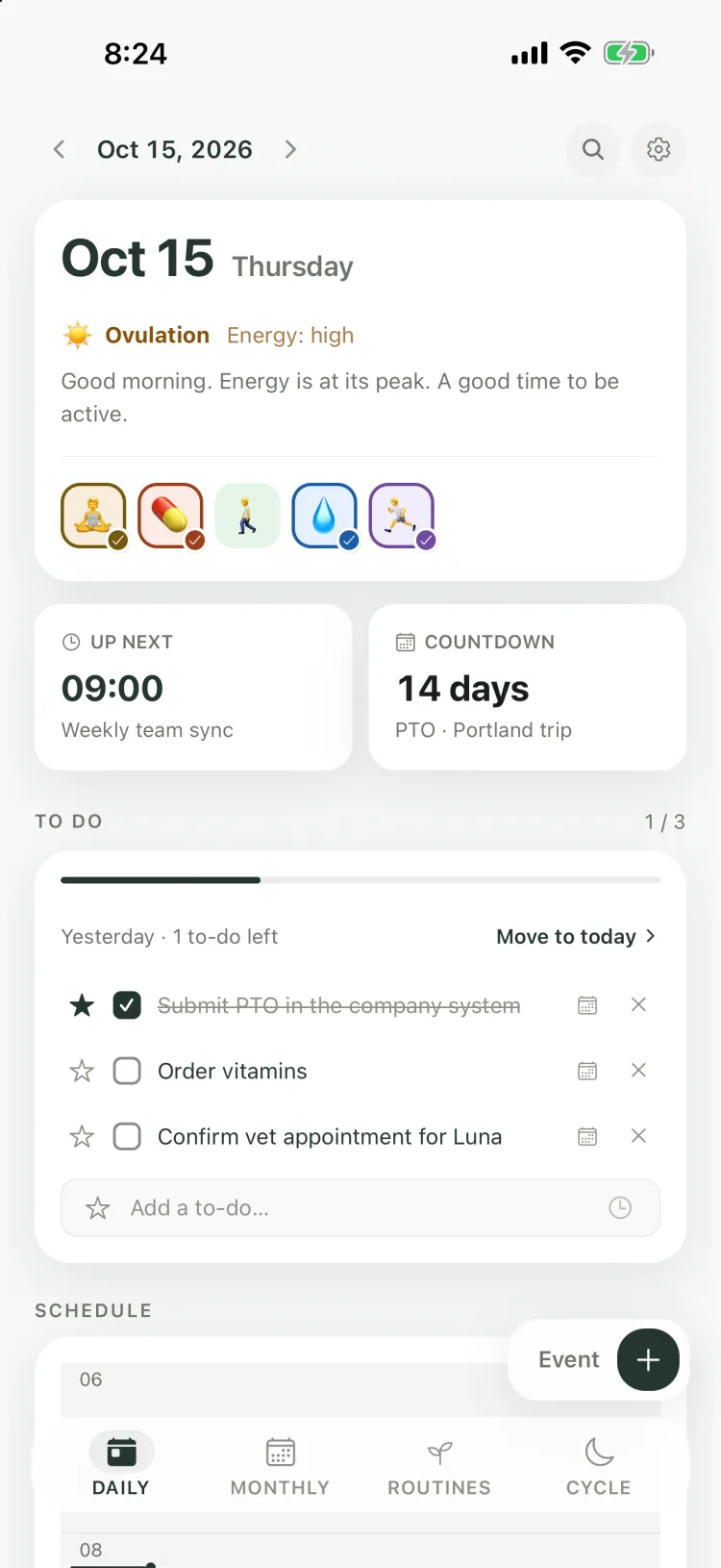
Kiyo’s Daily view brings scheduled events, to-dos, routines, and optional cycle context together. Events keep their times, to-dos their checkboxes, and routines their check-ins. Everything is in view without everything needing a time block.
Monthly is for comparing dates and seeing what’s coming up, with cycle context. Routine history lives in Routines, and Cycle focuses on your period records and phase information. Each view keeps the structure that suits what it shows.
Leave yourself something to look back on
Later, checked-off to-dos, routine check-ins, and an optional daily note leave a simple record. You can compare what you marked as done with what was on the calendar. An event sitting on a past date doesn’t mean it happened.
Maybe an errand took more out of you than expected, or a gap between commitments worked well. Details like that can shape the next plan without a long journal entry. The aim is to leave you with less to keep in your head.
Common questions
Does Kiyo add my period to Google Calendar?
No. Connecting Google Calendar lets you see its events alongside the cycle layer inside Kiyo. Kiyo doesn’t add period data to Google Calendar as events.
Can I use Kiyo without the cycle features?
Yes. Cycle features are optional. You can use events, to-dos, and routines with them switched off.
See how cycle context works in Kiyo, or open Kiyo on the web.