iPhone planner widget: your cycle in your own symbols
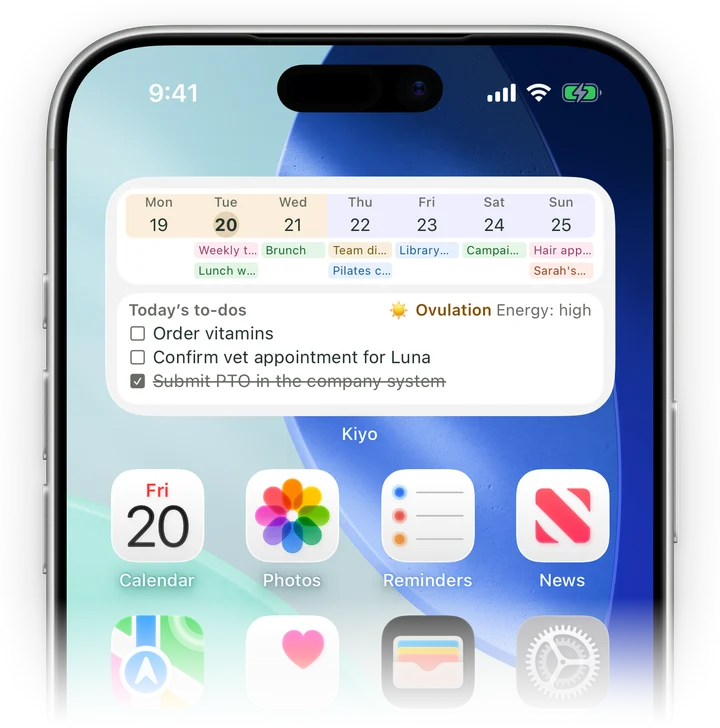
Kiyo’s planner widget puts this week’s events, today’s to-dos and, if enabled, your estimated cycle phase on your Home Screen. You can check them together without calculating your cycle or looking it up each time. Discreet mode replaces phase names with emoji from a set you choose.
What a planner widget should show
A calendar and to-do list widget can bring three everyday checks into one place.
- This week’s dates and events
- Today’s to-dos
- Where you are in your cycle, if you want it
A widget size for each view
The iPhone widget requires iOS 18 or later and Kiyo 1.2.6 or later; the Android widget is available in Kiyo 1.2.8 or later from Google Play.
| Where/size | What it shows |
|---|---|
| iPhone Home Screen · small | Up to 5 of today’s to-dos, plus today’s estimated phase line if cycle features are on |
| iPhone Home Screen · medium | This week’s dates and event bars, plus about 3 of today’s to-dos; phase colors on the week strip and today’s estimated phase when enabled |
| iPhone Home Screen · large | The same view as medium, with more events and to-dos |
| iPhone Lock Screen · rectangular | “Today’s to-dos,” a done count and the next open to-do; its title stays hidden until unlock, and no cycle information appears |
| Android Home Screen · resizable | Default 4×2; a narrow view shows today’s to-dos and the optional phase line, while a wide view shows this week and today’s to-dos |
Setup is covered in How to add the Kiyo widget to your iPhone and How to add the Kiyo widget to your Android home screen.
See your cycle without calculating it again
On widgets with a week strip, colors mark the estimated phases across the dates, and a line alongside today’s to-dos shows today’s phase. Kiyo works forward from your recorded period start date using your average cycle length to estimate the phases. Cycle features are optional, off by default and enabled with your consent. Both widgets display what the app last saved: opening Kiyo refreshes them, and they turn to the next day at midnight. On Android, tapping the widget opens Kiyo. These phases are estimates, not certainties, and must not be used for contraception or pregnancy planning.
Keep the meaning familiar to you
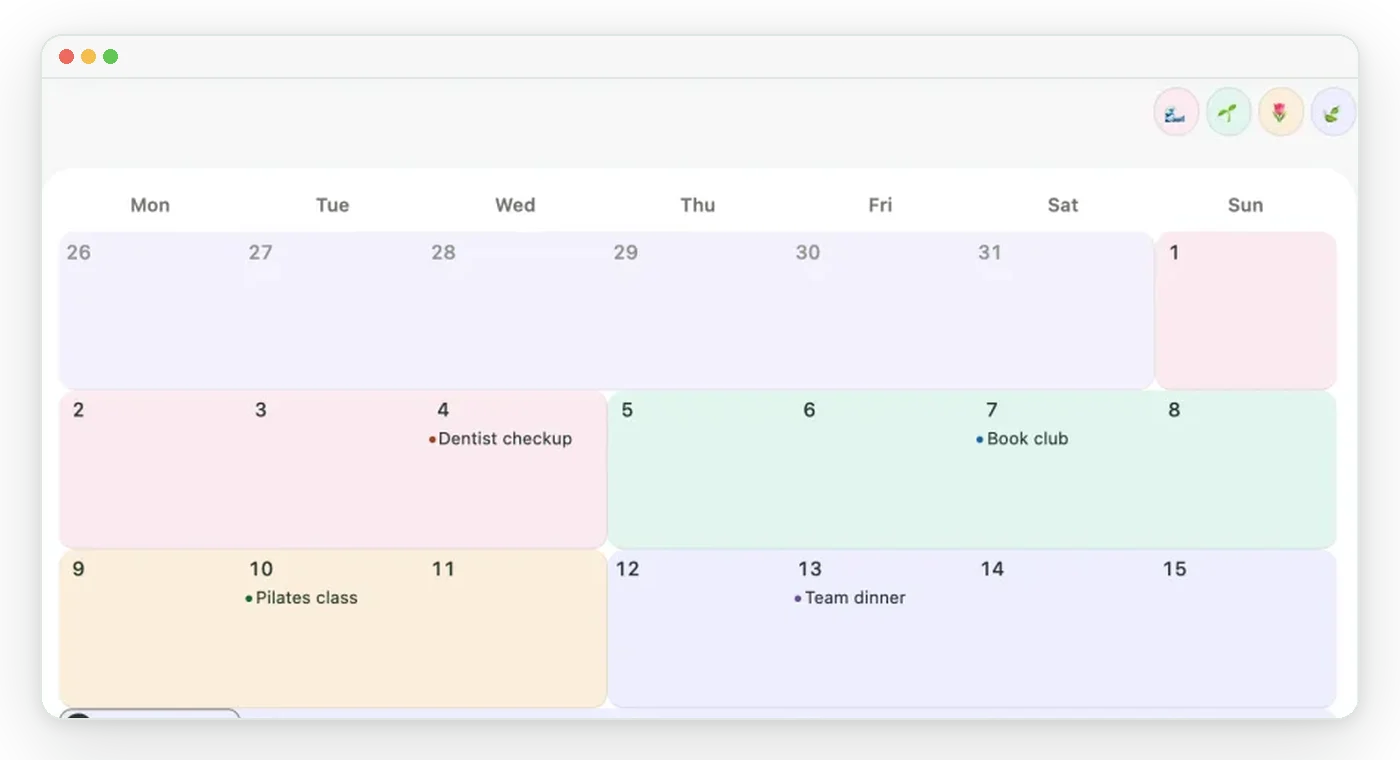
A Home Screen is easy for someone nearby to glance at. Discreet mode lets you choose a set of emoji you recognize, so your widget doesn’t need to spell out the phase.
- iPhone and Android widgets: Discreet mode replaces phase names with emoji and removes period-related terms from the interface. It hides direct wording; the colors remain.
- iPhone Lock Screen: only to-dos appear, with a done count and the next open item. That item’s title stays hidden until the iPhone is unlocked; cycle information never appears in this widget.
- Android: the “hide titles” setting for Kiyo’s lock-screen wallpaper also applies to the widget. Event bars show colors only, and to-dos appear as a one-line summary.
The same plans and symbols on the web
Sign in at kiyoplanner.com with Apple or Google, using the same account as in the app, to see your synced events, to-dos, habits and cycle records. Discreet mode belongs to your signed-in account settings, so it applies in the apps and on the web, where phase names appear as emoji too. That keeps direct cycle terms out of view on a work computer or shared screen. For access details, see How to use Kiyo on your computer.
Related questions
Is the widget free?
Yes. Kiyo is free, including its iPhone and Android widgets.
Does the widget predict how I’ll feel?
No. Its cycle information covers dates and estimated phases; Kiyo does not predict your feelings, symptoms or physical condition.
Does Kiyo send my cycle to Google Calendar?
No. Kiyo does not send cycle records to Google Calendar.