How to Plan Your Day When Your Energy Is Low
On a low-energy day, plan in two passes. First, keep what's fixed (anything with a set time) and choose one task that's truly due. Then move everything flexible to another day or an undated list, so nothing gets lost. Free hours show how much time you have, not how much you can take on.

How do you decide what to drop on a low-energy day?
Sort each item on today's list into one of four groups, then use its group to decide what to do with it. Call it the fixed-due-flexible sort:
| Group | Ask yourself | What to do today |
|---|---|---|
| Fixed | Is someone expecting me at a set time? | Keep it and plan around it. |
| Due | Does it have a real deadline soon? | Pick one to finish today. |
| Flexible | Could it happen another day without consequences? | Move it, or leave it undated. |
| Ongoing | Is it something I'm trying to keep doing? | Do it if it fits. A missed day isn't a failure. |
The rule that does most of the work: choose one thing you intend to finish today, not three. On a good day you can add more. On a hard day, one finished task beats three half-started ones.
What does that look like on a real day?
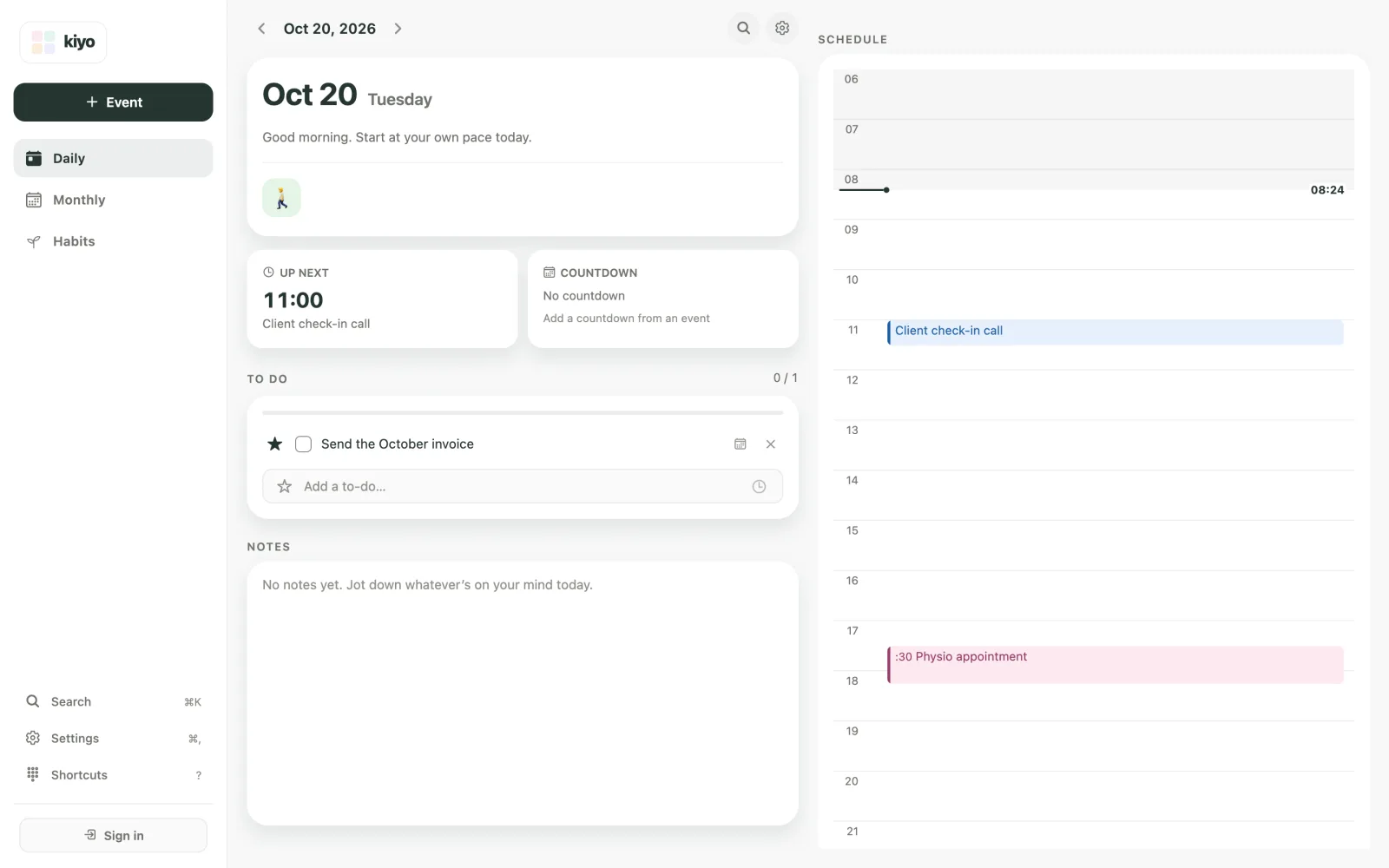
Take Tuesday, October 20. On Monday evening, the plan for Tuesday looked manageable. There's an 11:00 client check-in call and a 17:30 physio appointment, plus four to-dos: send the October invoice (due Wednesday), renew the car insurance (due next Monday), clean out the fridge and research a new laptop.
You also walk for 20 minutes on Tuesdays, Thursdays and Saturdays. Then you sleep badly, and by 8 a.m. the list feels like too much. Run the sort:
- Fixed: the client call and the physio appointment stay. Someone expects you at both.
- Due: the invoice is due tomorrow, so it's the one task to finish today. The insurance isn't due until Monday, so choose Thursday as the day to do it.
- Flexible: the fridge can wait for Saturday. The laptop research goes back on the undated list.
- Ongoing: if 20 minutes fits after the physio appointment, walk. If not, Thursday is two days away.
Here's that Tuesday after the sort in Kiyo, a personal planner for events, to-dos and habits on the web and iPhone. The appointments appear as events on the schedule. The invoice is the only to-do left, and it's starred. The walk appears with the day's habit check-ins at the top. Events, to-dos and habits each have their own format. For more on why that matters, see events, to-dos and habits.
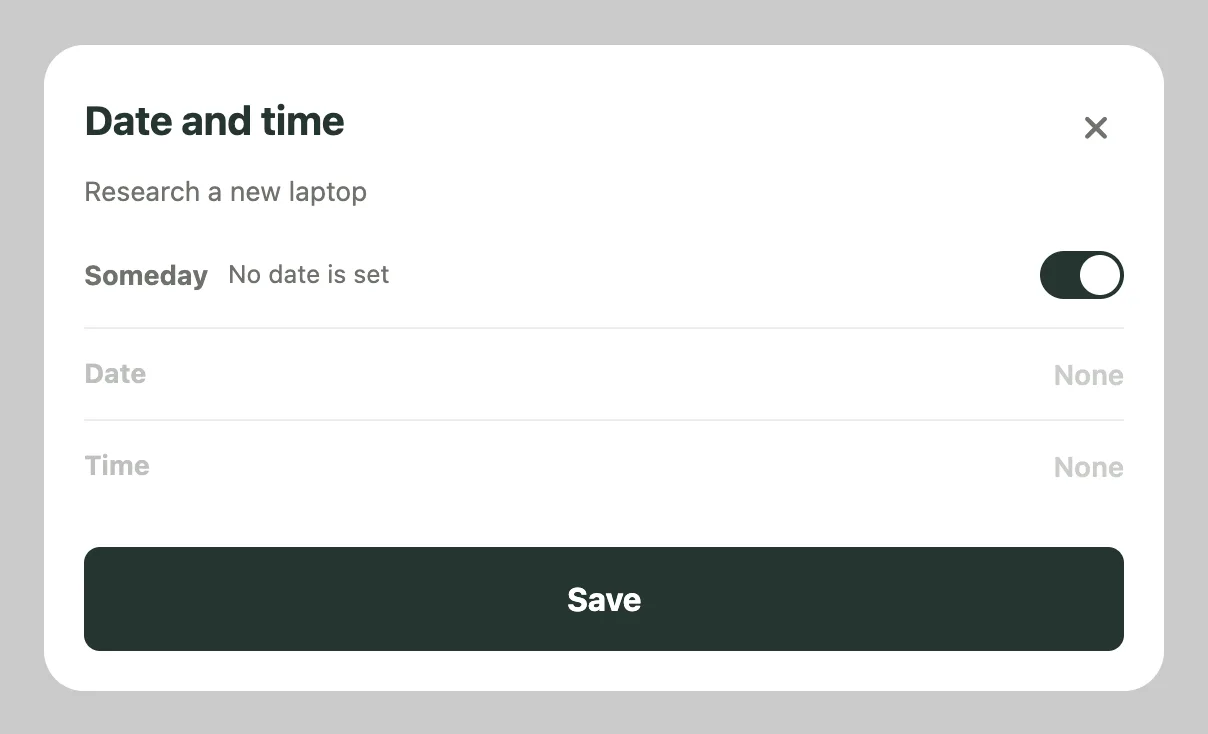
To move a task, tap its calendar icon to open the Date and time sheet. Pick Thursday for the insurance and Saturday for the fridge. For the laptop research, switch on Someday and tap Save: it goes back to the undated list in Monthly. Starred to-dos sit at the top of the list, so the invoice stays in view all day.
Why doesn't a free afternoon mean you can take on more?
Because free hours measure time, not capacity. Filling out a form for 20 minutes between two appointments can take more out of you than an hour of routine work on a quiet morning. Two things make the difference:
- Transitions. Moving between a call, an errand and focused work takes effort of its own, so three short gaps aren't the same as one long one.
- Your actual state. Sleep, illness, stress and, for some people, the menstrual cycle change how much you can take on in a given hour. You know this better than any planner does.
Treat free hours as an upper limit and your energy as the real budget. And if low-energy days have become most days, the NHS suggests seeing a GP if you've felt tired for a few weeks without knowing why, or if tiredness is affecting your daily life.
How do you keep moved tasks from getting lost?
Give them a place you'll look at again, not a fake deadline. In Kiyo, undated to-dos wait in Someday in the Monthly view until you choose a day, and a dated to-do can go back there from its Date and time sheet. If you leave a task on today's list and don't get to it, the next day's Daily shows a line such as "Yesterday · 1 to-do left" with Move to today.
Kiyo works in your browser without an account. What you add as a guest on the web is saved only in that browser. If you sign in later, it isn't added to your account, and signing in deletes it from that browser, so sign in first if you want to keep it. For keeping an undated list useful, see how to organize tasks without due dates.
What about habits on a hard day?
Do them if they fit, and let their regular schedules guide you from there. Schedule each habit for the days of the week you can realistically do it. In Kiyo, days you don't pick are rest days, and rest days never break a streak; habit tracking in Kiyo shows how they appear in the record.
If a scheduled day keeps getting skipped, the schedule may need to change, not your willpower. What a broken habit streak tells you explains how to read that record.
Can you plan ahead for your next low-energy day?
Yes. On a day when you have more energy, try these three things:
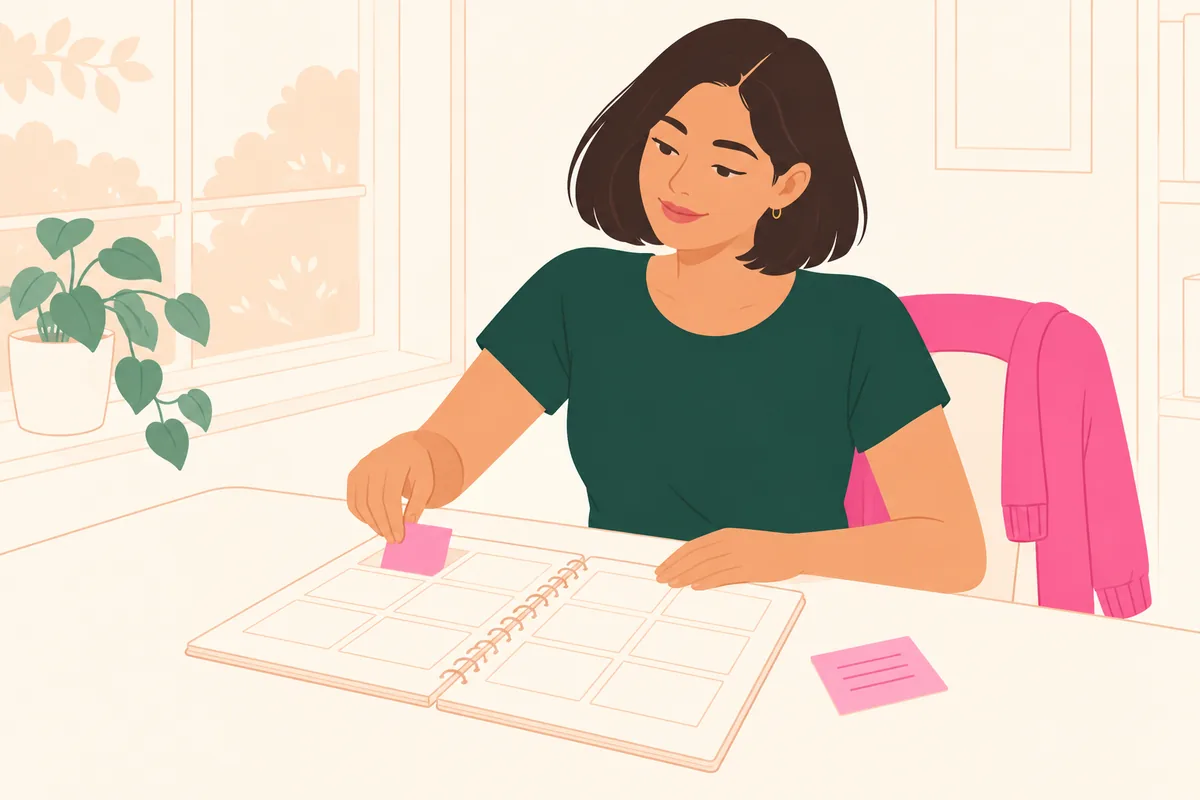
- Keep a short list of easy tasks. Replying to one email or ordering printer ink still moves things forward on a slow day. They can wait in Someday until then.
- Leave room after commitments you know are draining. If long client meetings tend to wipe you out, don't book anything demanding right after them.
- Look at next week before you say yes. A quick scan of Monthly shows which days are already full.
What if your energy changes with your cycle?
Some people notice a monthly pattern; many don't. If you do, Kiyo can show your estimated cycle as a color layer behind your calendar. It's optional and off by default.
Kiyo doesn't measure, predict or allocate your energy. With cycle syncing on, Daily shows a general note for each estimated phase, such as "Energy: low" during a period: reference, not a reading of you. That's what planning with your energy in mind means here: you look at the commitments and the context, then decide how much to take on. For more detail, see What is cycle syncing?.
Common questions
What should I do first on a low-energy day?
Check what's fixed and what's actually due. Keep the fixed items, pick one due task to finish, and move everything flexible to another day or an undated list.
How do I prioritize my to-do list when I'm exhausted?
Sort it into fixed, due, flexible and ongoing, then choose one thing you intend to finish today. Tasks that won't matter until next week can wait, even quick ones.
Is it bad to keep changing my plan?
No. A plan is a guess made with yesterday's information. Updating it when you have different information today is part of planning well.
Does Kiyo predict how much energy I'll have?
No. Kiyo doesn't measure or predict your energy. It shows your events, to-dos and habits and, if you turn on cycle syncing, your estimated cycle with a general note for each phase, such as "Energy: low" during a period. How much you take on is your call.
Should I skip habits on low-energy days?
Not necessarily. Do a shorter version if that helps, or skip it and come back on the next scheduled day. One missed day doesn't undo a habit, and days you didn't schedule never count as misses.