Can I Add My Period to Google Calendar?
Yes. You can add period dates to Google Calendar as all-day events. If you want to plan with your cycle in mind, there’s another option: connect Google Calendar to Kiyo. Events from your primary Google calendar sync to Kiyo, where background colors show your estimated cycle phases behind the dates.
How to add period dates to Google Calendar manually
For a simple date marker, create an all-day event that spans the days you expect your period, and call it something like “Expected period.” Use a different name, such as “Period,” for dates you’ve actually recorded, so you can tell an estimate from a record later.
Before you do, check who can see it. If you share your calendar with a partner, family, or coworkers, you can set the event to Private, but anyone who can make changes to your calendar can still see its details. A separate calendar that you don’t share is the safer option. You can create one on a computer, under “Other calendars.”
A repeating event follows a fixed rule. It won’t adjust when your cycle runs longer or shorter, so you’ll need to move those entries yourself.
See your cycle behind your Google Calendar events
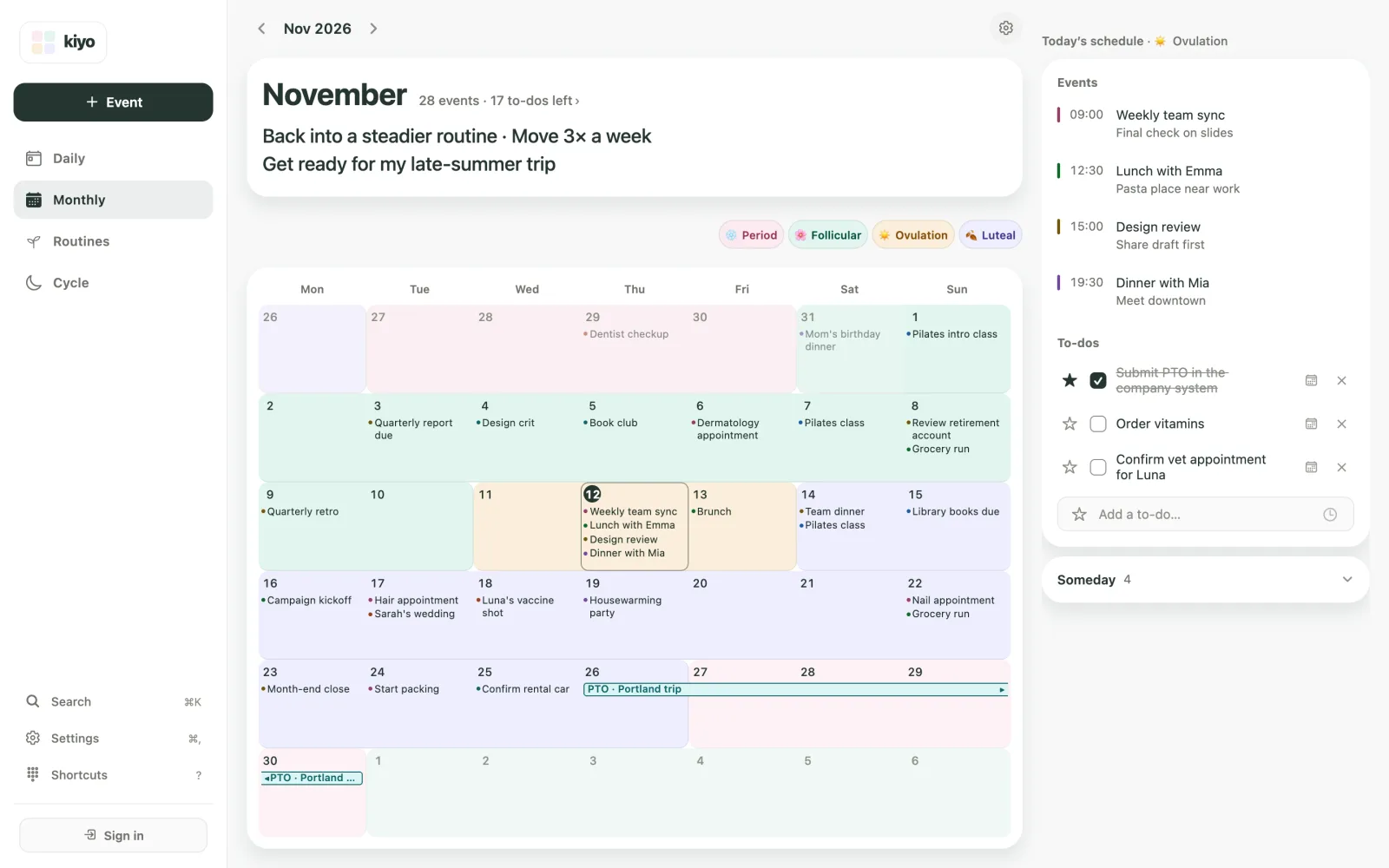
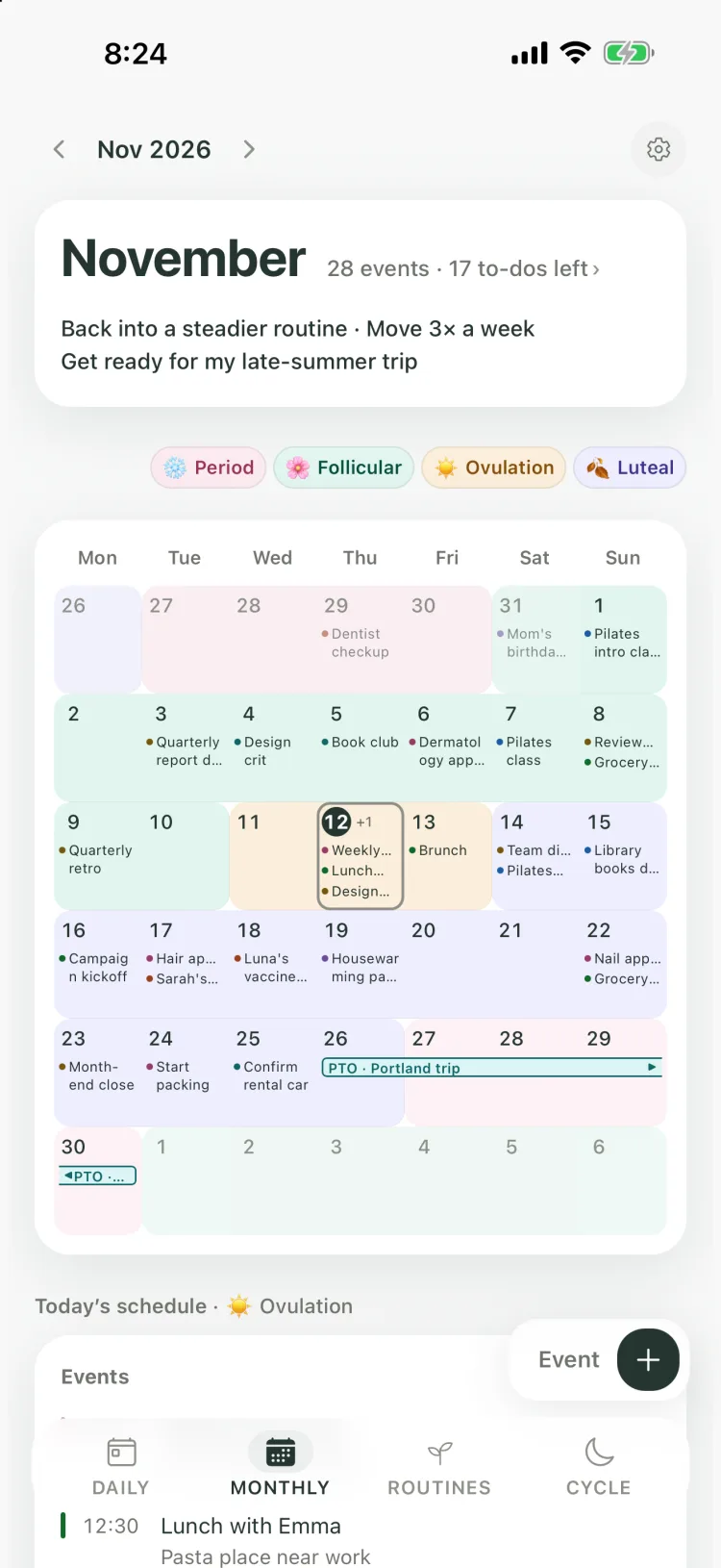
In Kiyo, your Google Calendar events appear in a familiar monthly view, with estimated menstrual cycle phases shown as background colors behind the dates. You can see your cycle across the month without adding another row of events or copying each estimate into Google Calendar.
An open evening on the calendar doesn’t always mean you want to fill it. If you tend to feel tired around your period and already have a demanding week, you might leave that evening free. Or you might keep dinner with a friend because it’s something you want to make room for. Kiyo keeps the estimate in view while you decide, alongside everything else you have planned.
Keep using Google Calendar
Kiyo and Google Calendar sync events in both directions. Move an event in Kiyo while looking at your cycle, and the change syncs back to Google Calendar. Changes you make in Google Calendar come into Kiyo too, so you don’t have to keep two copies of your plans.
Your cycle records stay out of that sync. They aren’t sent to Google Calendar as events, and the cycle colors appear only inside Kiyo.
Kiyo syncs your primary Google calendar. If you’ve been keeping period dates on a separate Google calendar, they stay out of Kiyo. If they’re on your primary calendar, they’ll show up in Kiyo as ordinary events. Once the cycle layer is on, you may no longer need separate events for future estimates.
Connect Google Calendar to Kiyo
You’ll need to sign in to Kiyo to connect Google Calendar. It works on the web and on iPhone.
- Sign in to Kiyo and open Settings.
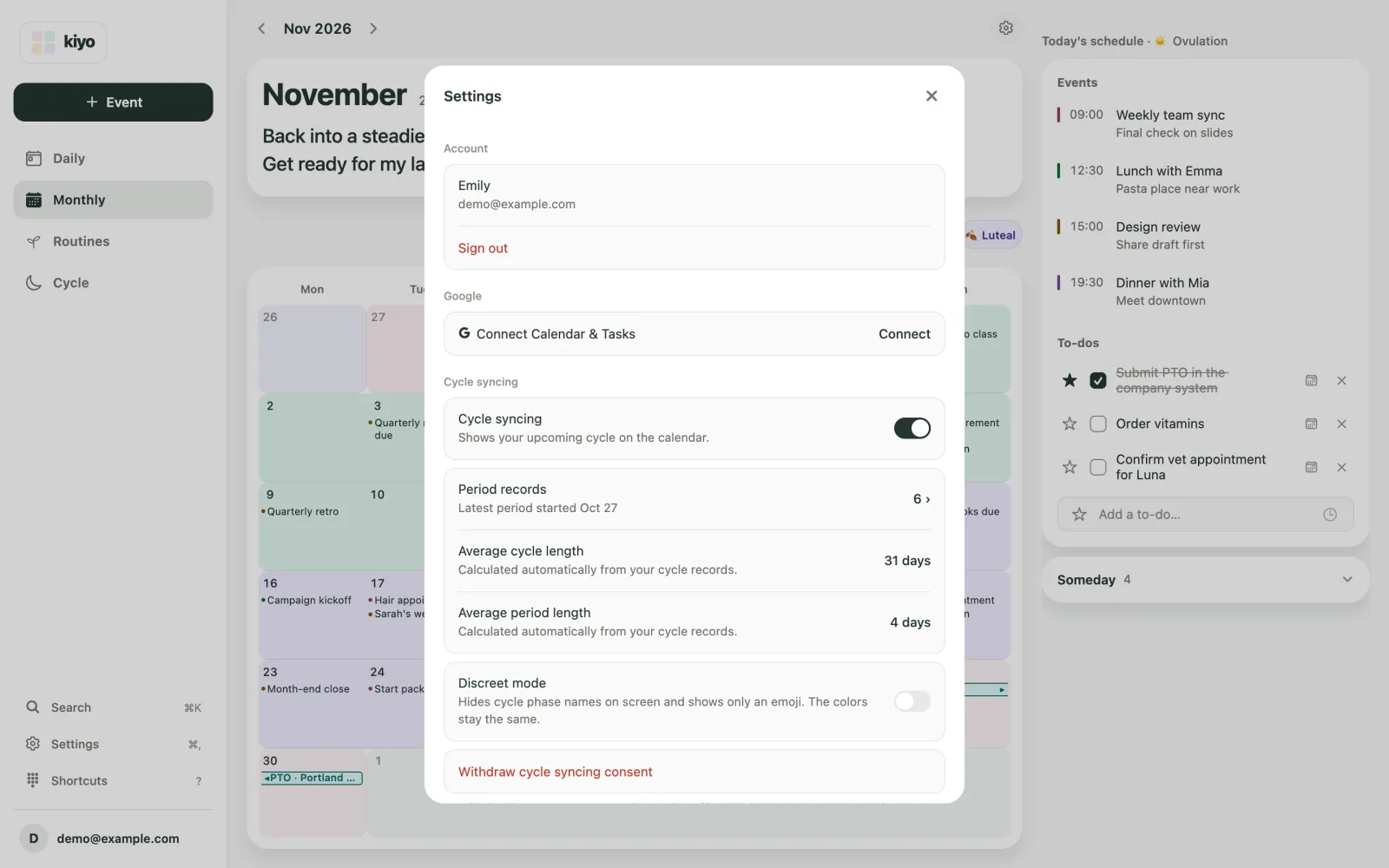
- Under Google, select Connect in the Connect Calendar & Tasks row. In the sheet that opens, select Calendar, then Connect your Google account.
- Choose your Google account and finish the connection.
- In Settings, turn on Cycle syncing and record your period information. Then open Monthly to see your estimated cycle alongside your events.
Common questions
Will Kiyo add my period dates to Google Calendar?
No. Kiyo doesn’t add your cycle records or estimated dates to Google Calendar. Only events sync with Google Calendar, and to-dos with Google Tasks if you connect it.
Can people I share my Google Calendar with see my cycle?
Not through Kiyo. The cycle layer stays inside Kiyo and isn’t shared with Google Calendar. Period dates you add to Google Calendar yourself follow that calendar’s sharing and visibility settings.
Next time you’re choosing a date or deciding whether to take something on, open Kiyo. Your plans are there with your cycle in view, so you can decide how much room to leave for yourself.
Read why your cycle is context, not a calendar event, or see how cycle context works in Kiyo.